

Just as it redefined what a smartphone, fitness tracker and tablet could be, Apple is now focusing on what an entry-level laptop is capable of because up until now, apparently no one has. Oh, others have tried, but with the MacBook Neo, the American tech giant is putting the competition on alert because it bears all the hallmarks of a MacBook – slim design, aluminium chassis, regular Mac-styled keyboard, sharp display and now, for a mere S$849.
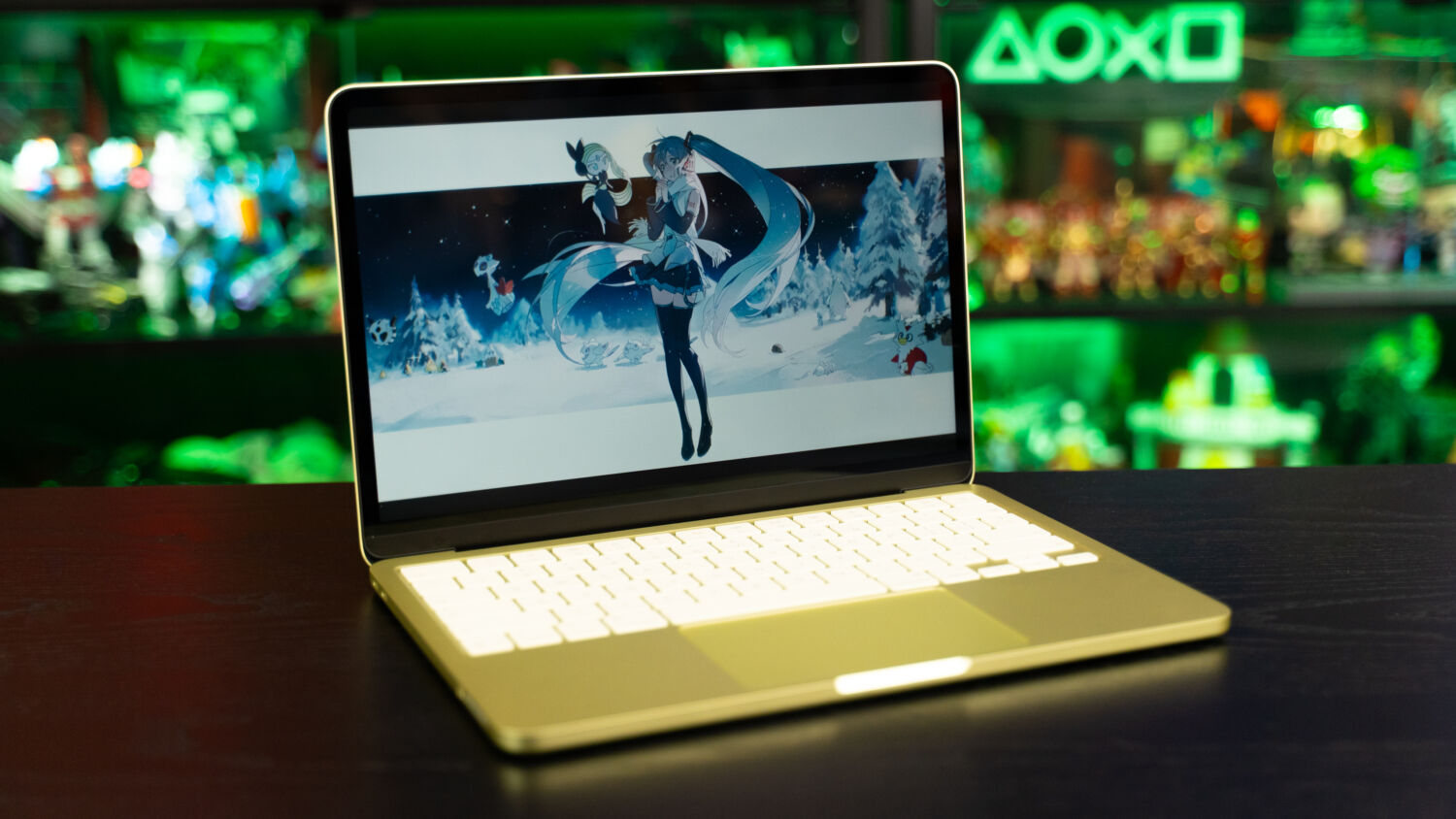
Instead of the M-series chip that has powered the Mac line since 2020, the Neo uses the cheaper but equally efficient A18 Pro processor that powers the iPhone 16 Pro, comprising a 6-core CPU, a 5-core GPU, and a 16-core Neural Engine. Some would consider this to be a mobile processor and it’s easy to understand the initial scepticism, as laptop and smartphone chips are designed with different purposes and priorities in mind, but the CPU manages to pull its own weight for everyday tasks.
While priced S$750 less than the base model of the MacBook Air with M5 and missing certain bells and whistles, the MacBook Neo remains committed to raising the bar. In the hands of its intended audience, namely Apple newcomers, students, and casual users looking to handle simple tasks, it’s a lean, mean machine that blows most, if not all, expectations out of the water. This latest model comes as a surprise – the Apple ecosystem commands premium prices, after all – but it’s a good kind of unexpected.
Measuring 1.27 x 29.8 x 20.6cm, the device is slightly thicker than the latest 13-inch MacBook Air (1.13 cm), but weighs the same at 1.23 kg, making it easy to hold in one hand and carry around for individuals who are often on the move. It comes fully wrapped in Apple’s signature aluminium chassis and retains the familiar air of elegance that the Pro and Air models exude, marking a step up from the aluminium-plastic mix typically used for budget offerings from its Windows counterparts. Indiscernible at first glance, the more pronounced brushed finish is the only indicator of its wallet-friendly status.
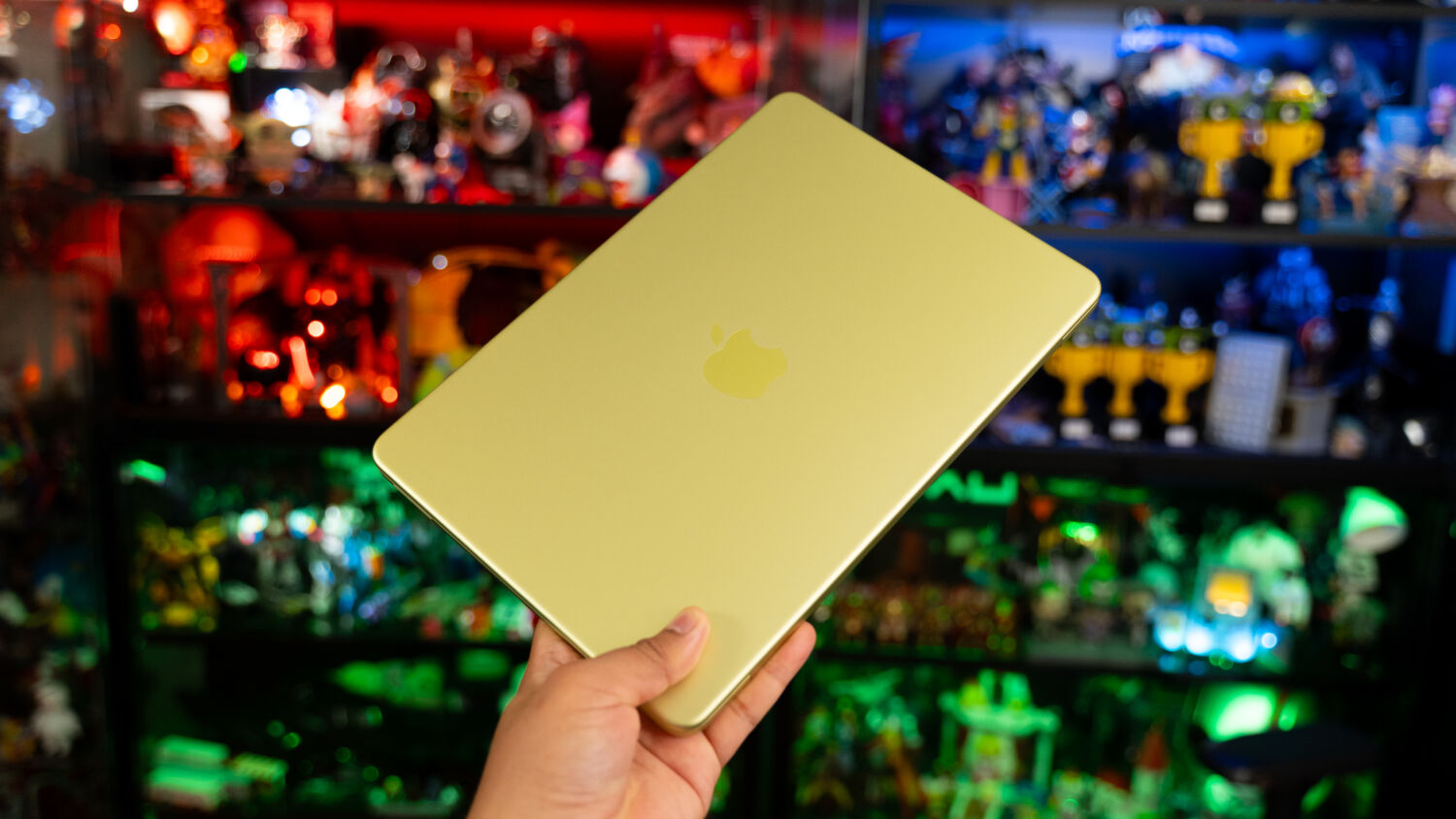
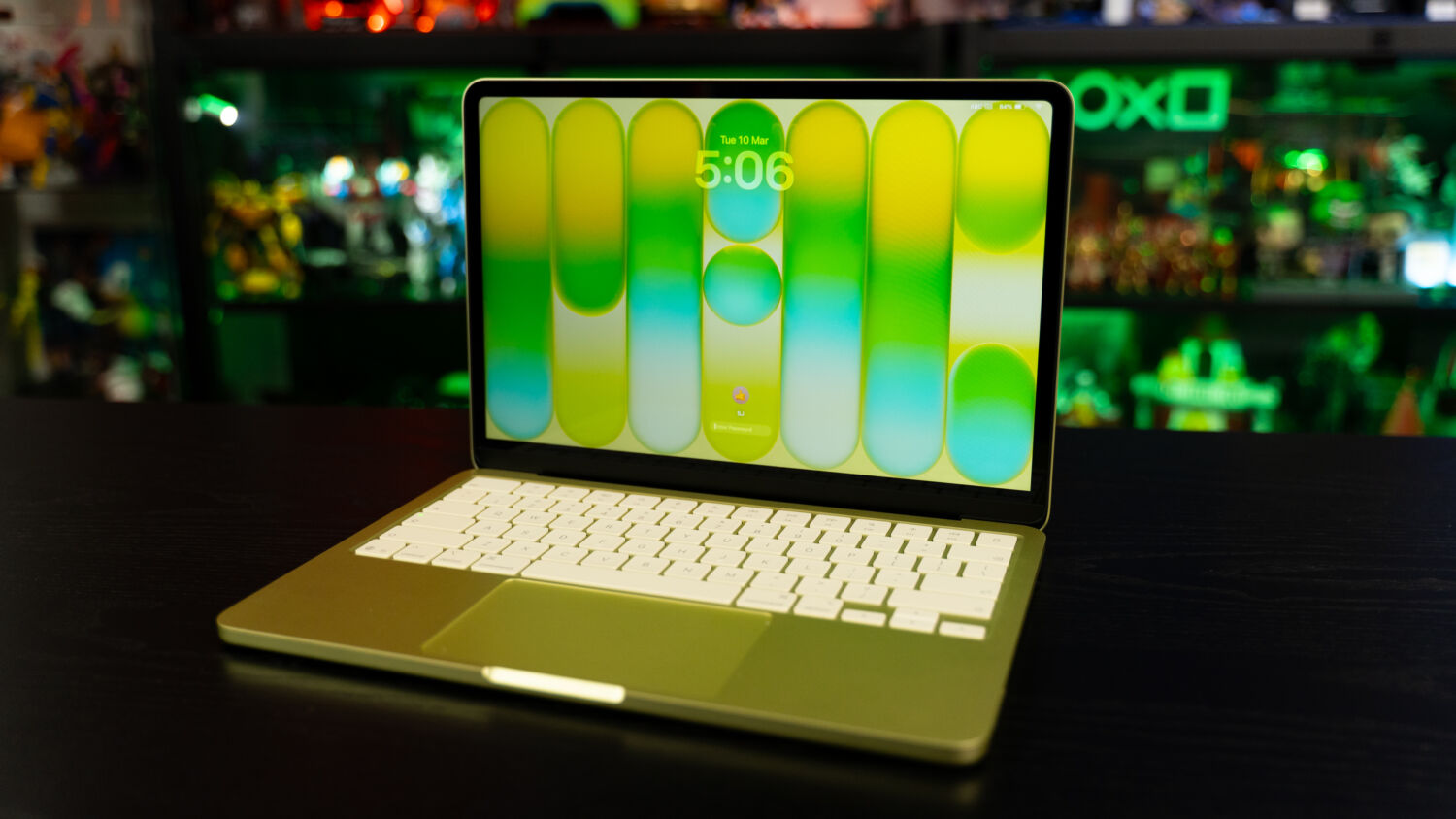
To distinguish between the various MacBook Air models across the last few years, the Cupertino giant has livened up its aesthetic identity. Available in the playful hues of Blush (pink), Indigo (dark blue), Citrus (lime yellow-green), and, of course, silver, its most affordable model to date represents a first step into the entry-level space, largely occupied by Google Chromebooks and Windows notebooks. This differs from the silver hero colour of the MacBook family, even as Apple has expanded its colour selection across its product lines in recent years. The lightweight Air, for instance, now includes additional options such as Midnight and Sky Blue, while the more powerful Pro offers Space Black and Space Grey.
Since the Neo is designed as a MacBook, there’s little to no difference in the way it operates. Opening the lid requires little effort, and the extra pop of colour is a welcome change from the professional, all-business look of the other models – even if Citrus, which is a throwback to the coloured iBook models from the turn of the century, is far from a personal favourite – with the keycaps now sporting matching hues.
Typing feels tactile and punchy, clocking an average of 85 words per minute with a 95 per cent accuracy rate on an online test, which is fairly in line with the MacBook Pro’s performance. Gone is the keyboard backlighting, so typing in the dark may be slightly inconvenient, while the lack of TouchID on the base model means users have to enter an old-school password to log in or use Apple Pay. It’s a bit of a bummer, considering how TouchID is already the most basic form of biometric identification and should be available across the board, not just built into the S$999 configuration of the Neo that comes with 512GB of storage.
The trackpad, too, sees a minor tweak. Unlike its more premium siblings, the MacBook Neo features a mechanical multi-touch trackpad that physically depresses, as opposed to sensing pressure and giving haptic feedback. As such, the clicks are louder than Apple regulars would be accustomed to, but it’s no less responsive and accurate, and the gliding remains smooth.
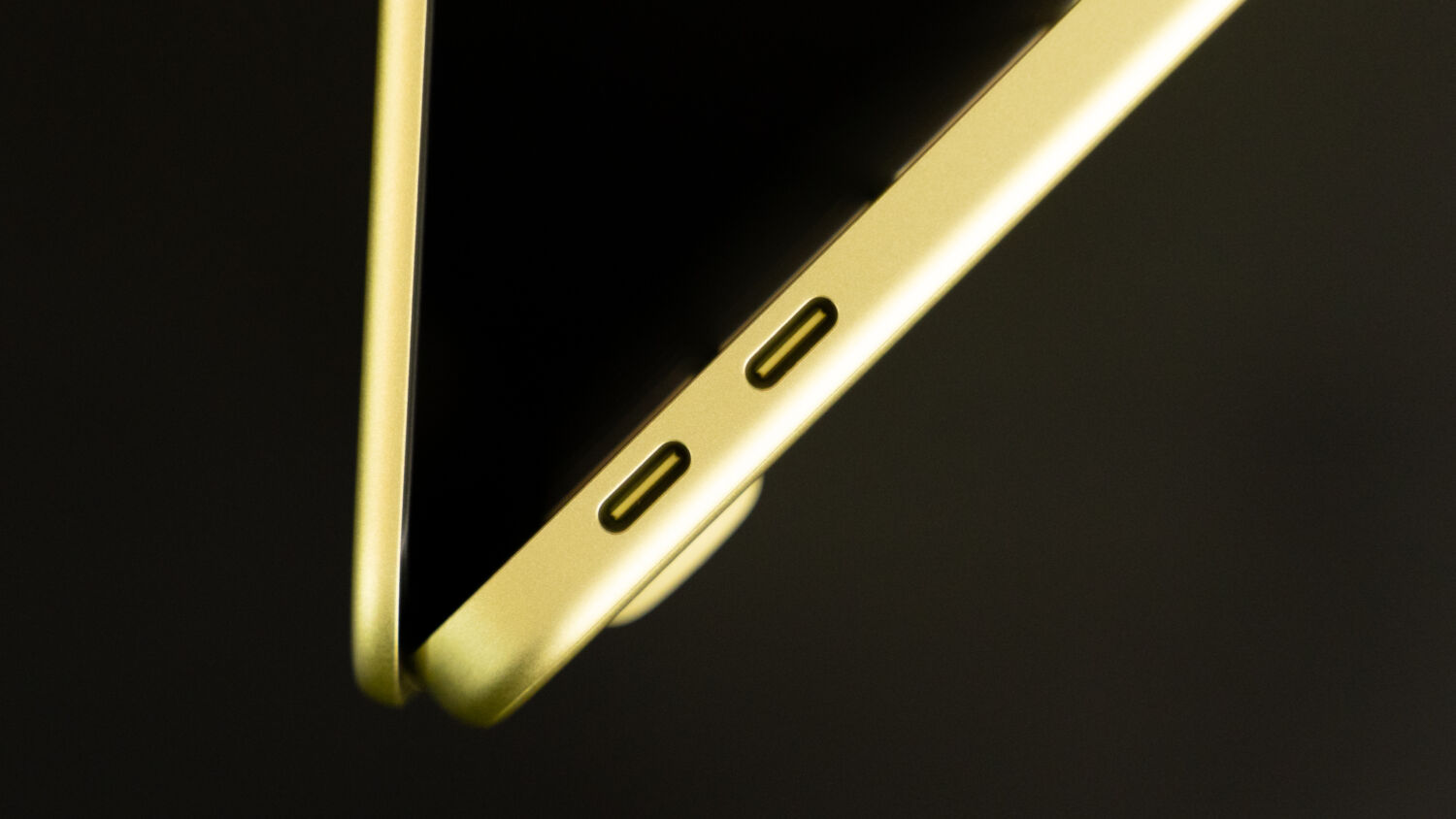
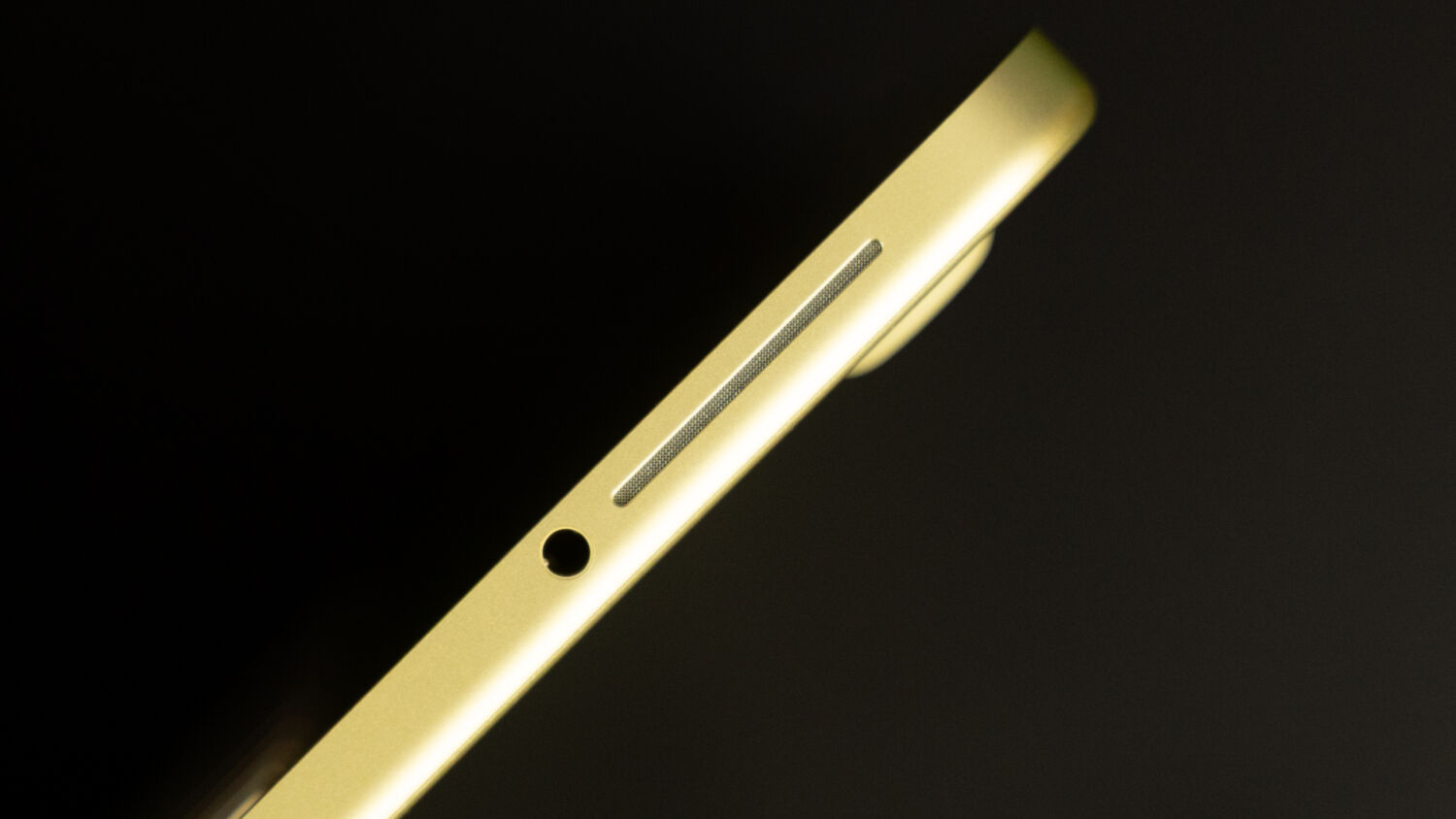
Typically positioned beneath the keyboard on other MacBook models, the speakers are mounted on the sides here, joining a rather awkwardly-placed 3.5mm headphone jack and two USB-C ports on the left. Audio quality is decent, conveyed through clear dialogue in the Spider-Man: No Way Home trailer, the bright vocals of FLOW in their latest YouTube performance of “Colors” on The Last Take, and loud soundscapes. Higher-pitched sounds can be a little shrill at top volume, however, and there’s a slightly hollow ring to background instrumentation.
As for connectivity, the two ports offer different standards that, oddly enough, aren’t labelled: one USB 3 with DisplayPort support and one USB 2 (macOS Tahoe issues an alert in the case of a mix-up, but it’s still worth noting). While both can be used for charging, expect slow speeds that extend to file transfer, especially with the USB 2 port, which tops out at under 500Mbps – a disappointing result that shouldn’t be anywhere near a new release, entry-level or otherwise. The cramped alignment of the USB-C ports can also make it more challenging to accommodate a desktop setup when another accessory is already connected.
In contrast, the notch-free viewing experience is a huge plus. The MacBook Neo boasts a 13-inch Liquid Retina display (versus 13.6 inches on the Air) with a 2,408 x 1,504-pixel resolution and a 60Hz refresh rate, and the difference is minimal without a side-by-side comparison. Since it runs on LCD tech, the blacks and whites won’t be as deep as they are on OLED screens, but the bright colours, crisp visuals, and sharp detail still make for an enjoyable watch. Brightness tops out at 500 nits, and despite the anti-reflective coating, viewing under direct sunlight remains a struggle in hot, sunny Singapore.

Performance-wise, the Neo clocked, on Geekbench 6, 3,563 in single-core testing, pulling up ahead of the 13-inch MacBook Air with M3 (3,065), and 9,008 in multi-core testing, down from the latter (11,959). It should be noted, though, that single-core performance is more relevant here, since it measures the speed and efficiency of executing single-threaded, or lightweight, workloads such as surfing social media and watching videos, which the device is built for.
To that end, opening apps proved snappy, and jumping between them and other tabs was a smooth affair, while converting a 10-minute 4K file – part of the HandBrake video transcoding test – took around 18 minutes. The benchmarking results are more respectable on Novabench, where its total (1,406) ranked higher than “54 per cent of all systems tested,” according to the software, which is impressive for an entry level machine. No bottleneck or frame stuttering was detected, with the score breakdown as follows:
- CPU Score: 702
- GPU Score: 101
- Memory Score: 358
- Storage Score: 245
Beyond day-to-day capabilities, the MacBook Neo packs enough horsepower to handle casual gaming on non-native apps without the need for a power brick. Running Stray on Steam saw consistent frame rates of around 50 to 60 FPS (frames per second), decent graphical quality, and minimal screen tearing – a pleasant, if surprising, experience that carried over to Hades 2, where the frenetic on-screen action unfolded smoothly. Once larger enemy mobs spawned, however, there would be stuttering and dips in the frame rates.

But general performance can also be a bit of a mixed bag. Although the machine never ran hot during both gaming sessions and could handle Adobe Photoshop with no issues, writing articles and listening to music while downloading a 4GB file saw heat accumulation in the top half of the keyboard, as well as sluggish speeds. The fault lies more with the RAM configuration rather than the A18 Pro chip, as 8GB of unified memory is hardly sufficient for a regular workflow involving chat apps, Spotify, multiple Google Chrome windows and tabs, and the occasional Photoshop – and that’s not counting Apple Intelligence features.
To its credit, macOS leverages what it calls “swap memory” to use its SSD storage as a temporary RAM when the physical memory is full, preventing crashes or system slowdowns. Users just have to be more mindful and not push the MacBook Neo’s limits too far; the Activity Monitor highlighted 6.8GB of RAM usage when it was idle, with Photoshop, over 10 tabs, including several movie trailers on YouTube, and communication apps running simultaneously. There’s no option to upgrade, either, which is in character for Apple.
The battery is fairly efficient, at least. As is always the case, the company claims all-day use without providing actual figures, and it holds up in real-world testing, dropping by less than 10 percent after a 20-minute surface run in Hades 2. Individual mileage will vary, but this review unit lasted around 16 hours on a single charge going through the same tasks mentioned earlier, plus a 30-minute video call in between. Again, charging is slow, taking two or so hours to hit 60 percent from zero with the bundled 20-watt charger, even though the laptop supports a maximum input of 30W.
A lower price point naturally comes with trade-offs, and the MacBook Neo is largely the sum of the right ones. It looks and feels premium, performs well beyond expectations at a basic level, and is the perfect starting point for those seeking wallet-friendly alternatives, first-time Apple users, students, or the regular Joe who wants a reliable laptop for light use. The 8GB RAM configuration and two-port array will prove inconvenient for some, but as the most accessible MacBook to date, its value is indisputable and cements the laptop as a solid first entry-level foray from Apple.
GEEK REVIEW SCORE
Summary
The MacBook Neo comes without the baggage of a premium and alongside the best that Apple has to offer in terms of design, hardware, and software – something that Microsoft and its partners cannot meet, because Windows is stuck with different parties offering a mix of elements that are cobbled together, instead of built from the ground up.
Overall
9/10
-
Aesthetics - 9/10
9/10
-
Build Quality - 9.5/10
9.5/10
-
Performance - 8.5/10
8.5/10
-
Value - 9/10
9/10
-
Geek Satisfaction - 9/10
9/10

Si Jia is a casual geek at heart – or as casual as someone with Sephiroth’s theme on her Spotify playlist can get. A fan of movies, games, and Japanese culture, Si Jia’s greatest weakness is the Steam Summer Sale. Or any Steam sale, really.

 Zinho De Costa
 HSALS
HSALS