Even as more Singaporeans are increasingly being targeted through their smartphones, from unexpected callers, random WhatsApp messages and callers impersonating government officials, Apple is beefing up security for iPhone users here by introducing additional features to protect Singapore users.

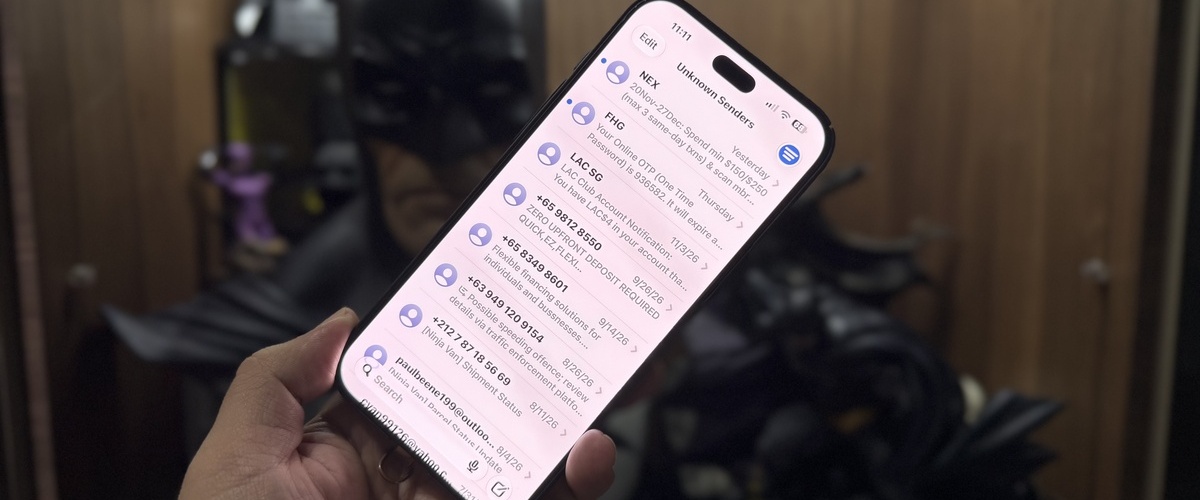
This is on top of existing iPhone measures that already protect users, such as Screen Unknown Senders, which automatically moves messages from unfamiliar numbers out of the phone’s main messaging inbox, while built-in measures such as spam filtering, blocking, and reporting tools help contain suspicious text messages in a phone to a separate folder.
This isn’t just to help normal users, but also for those who want to protect their children and elderly from being preyed on by fraudsters. FaceTime users, and parents can also limit incoming calls to known contacts and control whether the phone owner’s name and photo are shared.
The new protections introduced go further, such as turning on Screen Unknown Senders by default, and even if users end up clicking on those messages, links in messages sent from unknown senders will be disabled until the message has been reviewed. Singapore users will also receive stronger warnings for messages from unknown and international numbers, and FaceTime Name & Photo sharing is now disabled by default.
Together, these are designed to interrupt the first moments of a scam trying to connect, and before a user taps a link, replies, or shares personal details. The caveat is that most unknown numbers will be subjected to additional scrutiny with these new features, and this includes messages received by legitimate contacts. A known number is one that is stored in your phone’s contact list, so if you’re expecting a pin number from your eCommerce service or dining membership, be sure to check your spam message folders and mark the sender as a known contact.
The changes would be particularly relevant to Singapore’s current threat landscape, as the authorities in Singapore recorded 16,821 scam cases and about S$410.6 million in losses in the first half of 2026, even as overall case numbers fell 14.4%.
Still, technology is only part of the answer, as users should refrain from replying to messages from unknown numbers, verify unexpected requests through a known contact or official channel, avoid calling back unfamiliar international numbers, and never transfer money or install apps recommended through an unsolicited message.
To check that your phone has the latest iOS 27.2 update, head to “Software Updates” under “General” in your phone’s settings. To ensure that your settings are turned on, head to “Messages” under “Apps” in your phone’s settings to turn on Screen Unknown Senders and Filter Spam.
For more information on recognising social media-engineered attacks and avoiding phishing scams, read more here.

Hsals needs more space in his house, and more money in his bank account to pay for all the toys, collectibles and other geek related items that companies are churning out. Free-time? Girlfriend? Who’s got time for those?