
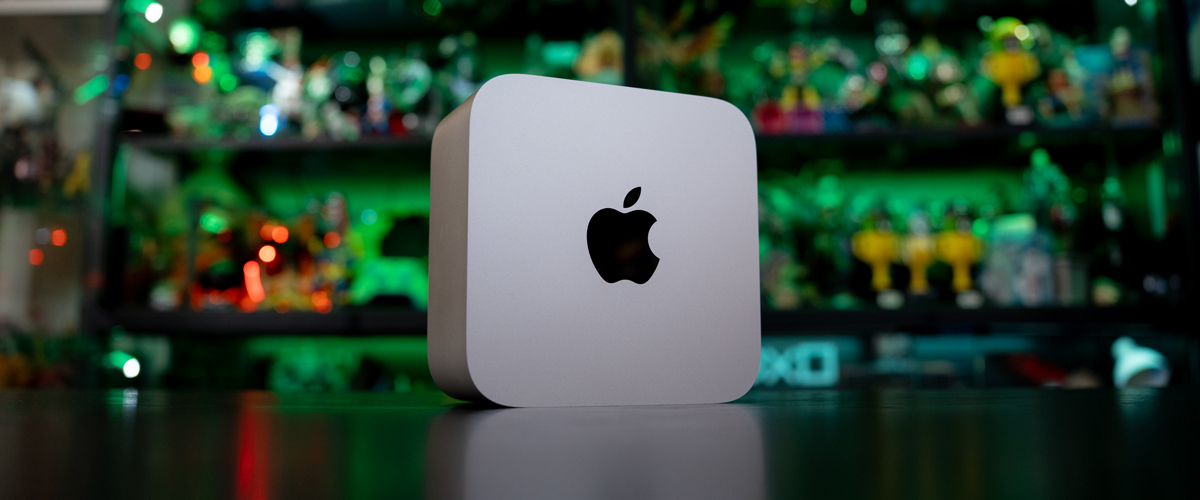
For the last four generations, the Mac Studio has been Apple’s testament that size has little to do with performance. From the moment it shrank its pro performance desktop from tower to compact lunchbox, each subsequent iteration has followed the same script – identical silver enclosure, faster Silicon chip, improved thermal system, and a sharp reminder that the Mac Studio is something any creative should be without.
This year’s script has a slight deviation, though, as Apple indicates that the new Mac Studio delivers up to 4.3x faster AI performance, up to 2x faster storage, up to 1.8x faster graphics and up to 1.3x faster CPU speed, and this pitch is aimed squarely at those running artificial intelligence (AI) language models on their own hardware, without the need for a connection to the cloud for data processing – a personal data protection aspect that Apple has been at the forefront of.
This year, the company has released two models. The first is powered by the Apple M5 Max chip, which is an 18‑core CPU comprising 6 super cores and 12 performance cores, a 32‑core GPU, neural accelerators, hardware-accelerated ray tracing and a 16-core Neural Engine.
Meanwhile, the other model taps on the more powerful Apple M5 Ultra chip, which is a 30‑core CPU comprising 10 super cores and 20 performance cores, 64‑core GPU, neural accelerators, hardware-accelerated ray tracing and a 32‑core Neural Engine.
With the M5 Max priced from S$3,499 compared to the M5 Ultra, which starts from S$7,999, our review unit is the more accessible of the two, with an 18-core CPU, 40-core GPU, 128GB RAM and 4TB of storage, putting the price tag at S$8,599. Regardless of what you pick, prices of hardware have shot up tremendously, as the Mac Studio M4 Max machine we reviewed last year started at a friendlier S$2,899.
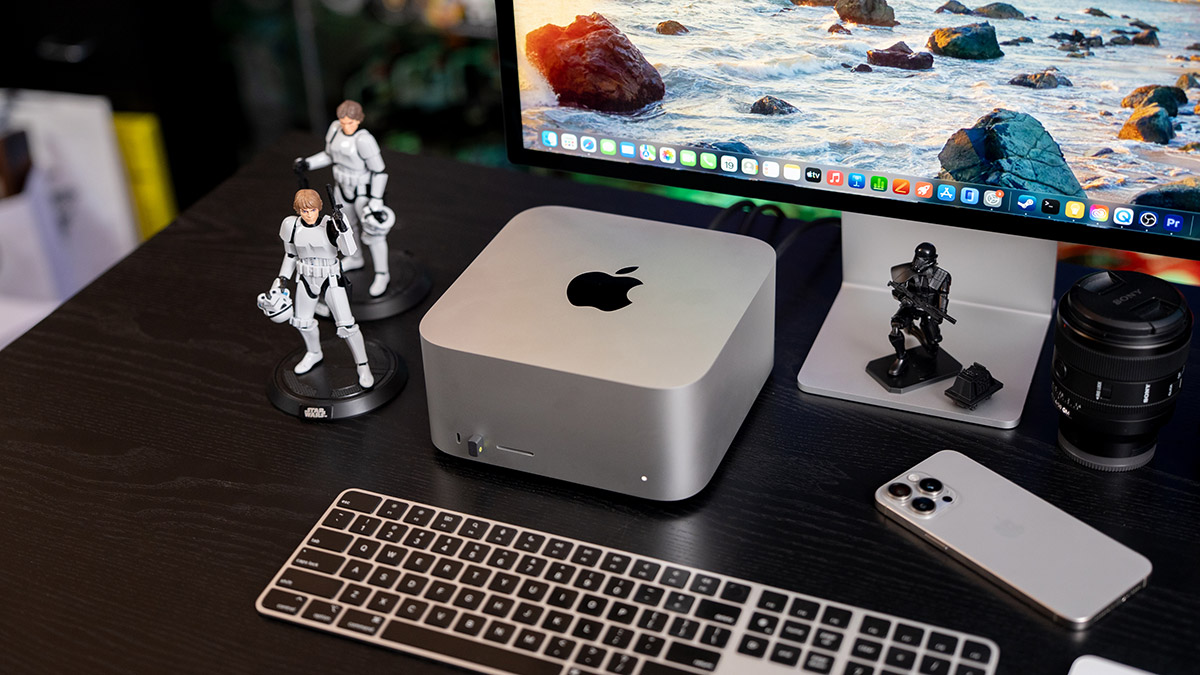
Externally, nothing has changed, and honestly, nothing needs to. The all-aluminium chassis keeps its rounded corners and minimalist look, and it still sits comfortably under Apple’s impressive Studio Display monitor. Its dimensions, 19.7 x 19.7 x 9.5cm, and weight, at 2.7kg, matches that of the previous version, and the change is in the Silicon chip.
What has changed is the silicon, as the M4 Max came with up to a 16-core CPU, with 12 performance cores and four efficiency cores, with a 16‑core Neural Engine but no neural accelerators. Connectivity also gets a bump, as Wi-Fi 7 and Bluetooth 6 finally arrive on the Mac Studio.
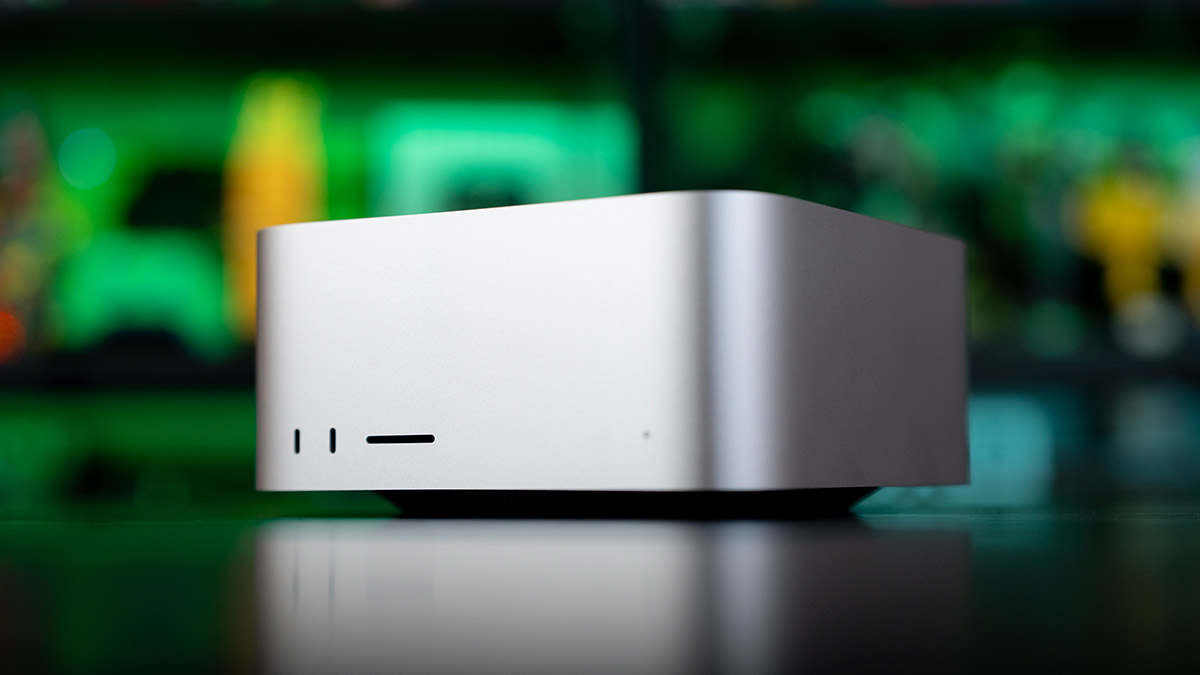
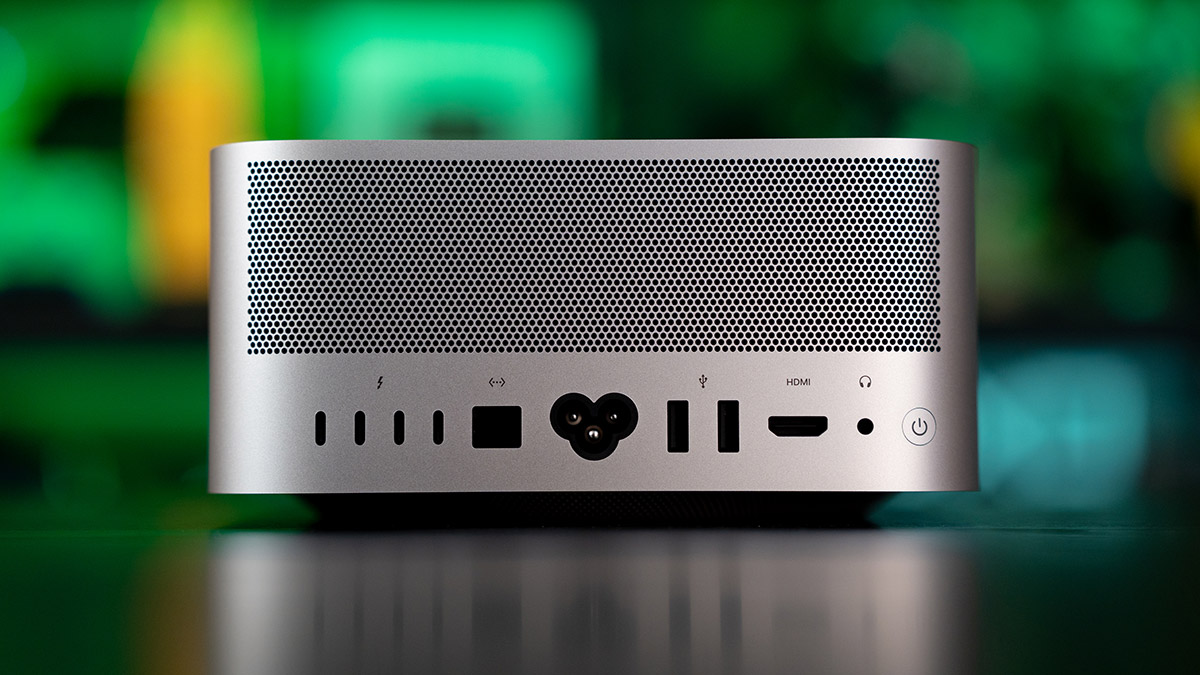
The number of connectivity ports differs on either machine, but each starts with Thunderbolt 5 (up to 120Gb/s), USB 4 (up to 120Gb/s), USB 3 (up to 10Gb/s), DisplayPort 2.1, two USB 3 (USB‑A) ports (up to 5Gb/s) and the basic HDMI 2.1 port, 10Gb Ethernet and 3.5mm headphone jack in the rear.
For the M4 Max that has four Thunderbolt 5 ports, it supports up to five external displays over any combination of Thunderbolt and HDMI ports. For five displays, four will go up to a native resolution of 6K at 60Hz, or 4K at 165Hz, plus a fifth display up to 5K at 60Hz over HDMI. If you use three displays, two offer up to a native resolution of 8K at 60Hz, or 5K at 120Hz, or 4K at 240Hz, while the third goes up to 5K at 60Hz over HDMI.
Meanwhile, the M5 Ultra model offers six Thunderbolt 5 ports (replacing the two front USB‑C ports on the M5 Max model with Thunderbolt 5) that support up to eight external displays over any combination of Thunderbolt and HDMI ports, such as eight displays up to a native resolution of 6K at 60Hz or 4K resolution at up to 165Hz. If you go with four, you can have native resolutions of 8K at 60Hz, or 5K at 120Hz, or 4K at 240Hz.
And we know – you want the benchmarks because numbers matter, and that’s what the history of technology tells you. On Geekbench 6, this M5 Max recorded a single-core score of 4,267, and a 29,197 multi-core score, against 3,978 and 21,160 for last year’s M4 Max. Novabench’s overall score came in at 6,064, up from 4,650.
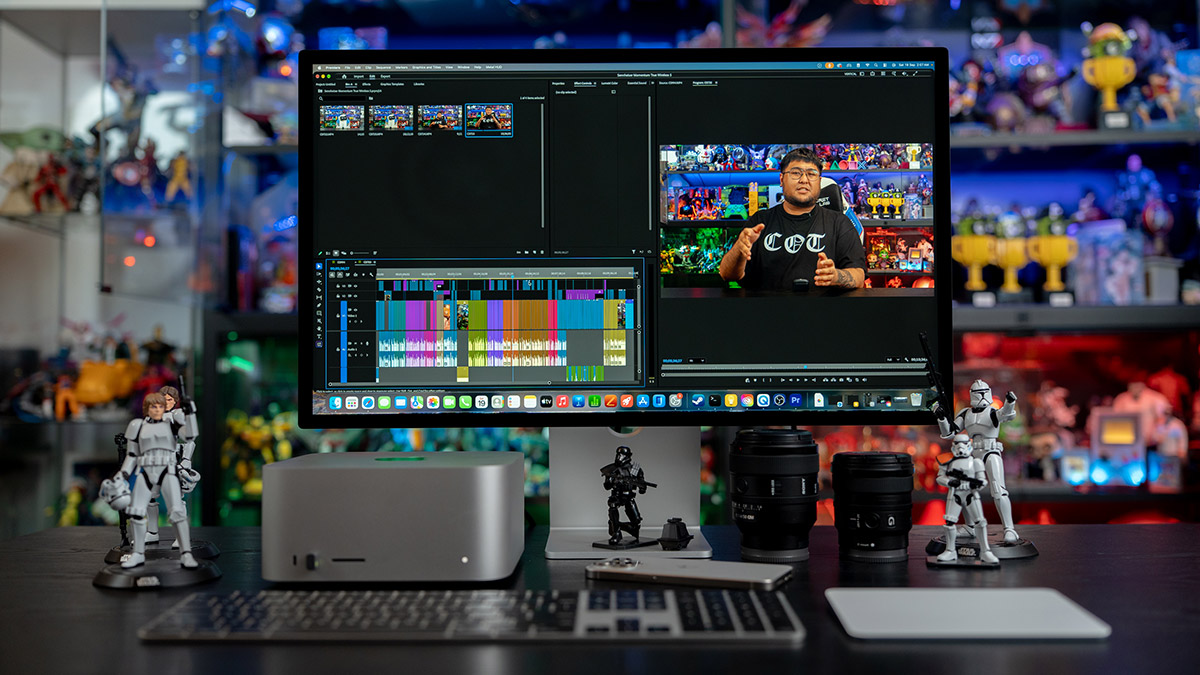
Still, numbers only matter so much because nobody edits videos in Geekbench or any relevant benchmark software. The Handbrake 10-minute 4K HEVC conversion took 3 minutes and 36 seconds, against 6 minutes and 29 seconds on the M4 Max, and 7 minutes and 30 seconds on the M2 Ultra. We also ran a 4K 60fps Premiere Pro export for a 10-minute video, which the M5 Max Mac Studio completed in just 4 minutes and 27 seconds, versus 5 minutes and 54 seconds on the M2 Ultra.
Gaming remains a performance bonus, and the new Mac Studio basically tore apart everything we threw at it, from Cyberpunk 2077 and Metro Exodus to Hades, and you can watch the full run of the Mac Studio, as well as the M6 Mac mini, in the video below.
But this review has to be more than just Apple saying the hardware is superior year on year, which it constantly does, and our benchmark tests showing results that indicate the same increase – it becomes a somewhat pointless exercise, especially for a machine that the company touts its local AI capabilities, so we are testing it in a way that doesn’t rely on a benchmark chart.
For this, we needed to run a task real people might perform, on data that should never leave the building, to enter huge amounts of information to process and in the form of annual reports.
We fed the 2024 and 2023 annual reports of a major global company, a combined 270 pages’ worth of information, into LM Studio Bionic, local-first AI agent software built for open-source large language models. Bionic uses open models to handle coding, research, and complex work with documents and files, and its local models are powered by the LM Studio runtime, with MLX and llama.cpp under the hood. Once installed, the application allows you to select from a larger number of AI models, including options to download and run laptop-sized agents locally, without tapping on the cloud and potentially sharing your data externally.
So a model is part of the equation, and there’s still the need for a powerful processor to run the models as well as a substantial amount of RAM to process that information locally, and that’s where the M5 Max chip comes in. Apple says that a cluster of four Mac Studio systems delivers up to 3x faster AI inference than a single system, and since this is a review of the chip and not a cluster or the AI agent, we’re running a model through the agent to determine performance.
In picking a local AI model, we needed something capable of reasoning, and there are three powerful options – Qwen3.8 from Alibaba, Muse Glimmer from Meta, and Gemma 4 from Google. All three are locally run AI models, and we picked Qwen3.8 as it was the one most recently updated via LM Studio, and this was the 27B version, which means it contains 27 billion parameters for the agent to work with.
So where did we start? The original Mac Studio M1 Ultra was our primary video editing machine for a year, and the MacBook Pro M1 Max continues to be a solid performer for our day-to-day, so it seemed only fair to see how our old workhorses fared against its great-great-grandchild. All three machines ran the identical model file, the same Bionic build, the same prompts, the same context length and the same task setting.
We asked the agent to study both annual reports in great detail, and identify 12 key findings on the company’s performance in terms of revenue and expenses, its business strategy and what has changed, and to provide an analysis of the changes in strategy over the time period, and determine how the key findings have supported any new strategy.
The result was quite astonishing:
- M1 Max MacBook Pro with 64GB of RAM – 241 mins and 40 seconds
- M1 Ultra Mac Studio with 128GB of RAM – 148 minutes and 19 seconds
- M5 Max Mac Studio with 128 GB of RAM – 57 minutes and 42 seconds
As with any independent AI run, many factors can determine the results even on the same machine, which can and should never be identical, so our multi-page reports generated across all three machines varied in details and tone. But if it’s anything to go by, a single M5 Max with just 128GB of RAM cut what was originally a four-hour-long task on a laptop, and over two hours on the first Apple Silicon M1 Mac Studio, to just under an hour on the new machine.
The caveat here is that further analysis should be done with the three results to determine the quality of the results, but that’s also more on the use of any AI agent as well. Ultimately, the Mac Studio with upgraded RAM serves as a good tool for anyone who wants to get serious about running local AI, but without the M5 Ultra’s price tag. Given the new focus on running dedicated AI agents locally with the M5 chips, the new neural accelerators offer a compelling upgrade for M4 Max owners, specifically because of how much faster it digests long documents.
In other words, the practice of picking up the cheaper predecessor upon the release of the current chip also no longer applies, not when AI performance is the goal. Apple’s Mac Studio, with its beefier internals, have always been more than adequate for the harshest of performance software, from gaming to video editing, but if you want to set up your own AI playground, this is definitely a good place to start.
Product images were shot using a Sony α7 IV Full-Frame Hybrid Camera equipped with the following lenses: Sony FE 90mm F2.8 Macro G OSS and 28-70mm F2 GM
GEEK REVIEW SCORE
Summary
It’s the same on the surface, but under the hood, Apple has delivered a powerful local AI workstation on top of a machine that can power your creative workflow or gaming. Running local AI agents looks to be the next big trend, and Apple looks to be ahead with this one.
Overall
9.1/10
-
Aesthetics - 9/10
9/10
-
Build Quality - 9/10
9/10
-
Performance - 9.5/10
9.5/10
-
Value - 9/10
9/10
-
Geek Satisfaction - 9/10
9/10

Hsals needs more space in his house, and more money in his bank account to pay for all the toys, collectibles and other geek related items that companies are churning out. Free-time? Girlfriend? Who’s got time for those?

 Si Jia
 Kevin Low