
Whenever a product category is largely dominated by a single company, there will always be contenders to the throne, with new players itching to claim the top spot. From China brands who merely copy, to new players stacking product innovations or simply more enticing value propositions, there’s never a clear winner because the dust never settles in such a slug fest. And such is the case for the modern vacuums, led by UK brand Dyson, which has established great brand perception but a cleaning job is never done, and American player SharkNinja is jumping into the fray, and making deep cuts in a niche but burgeoning space, and at a more affordable price.
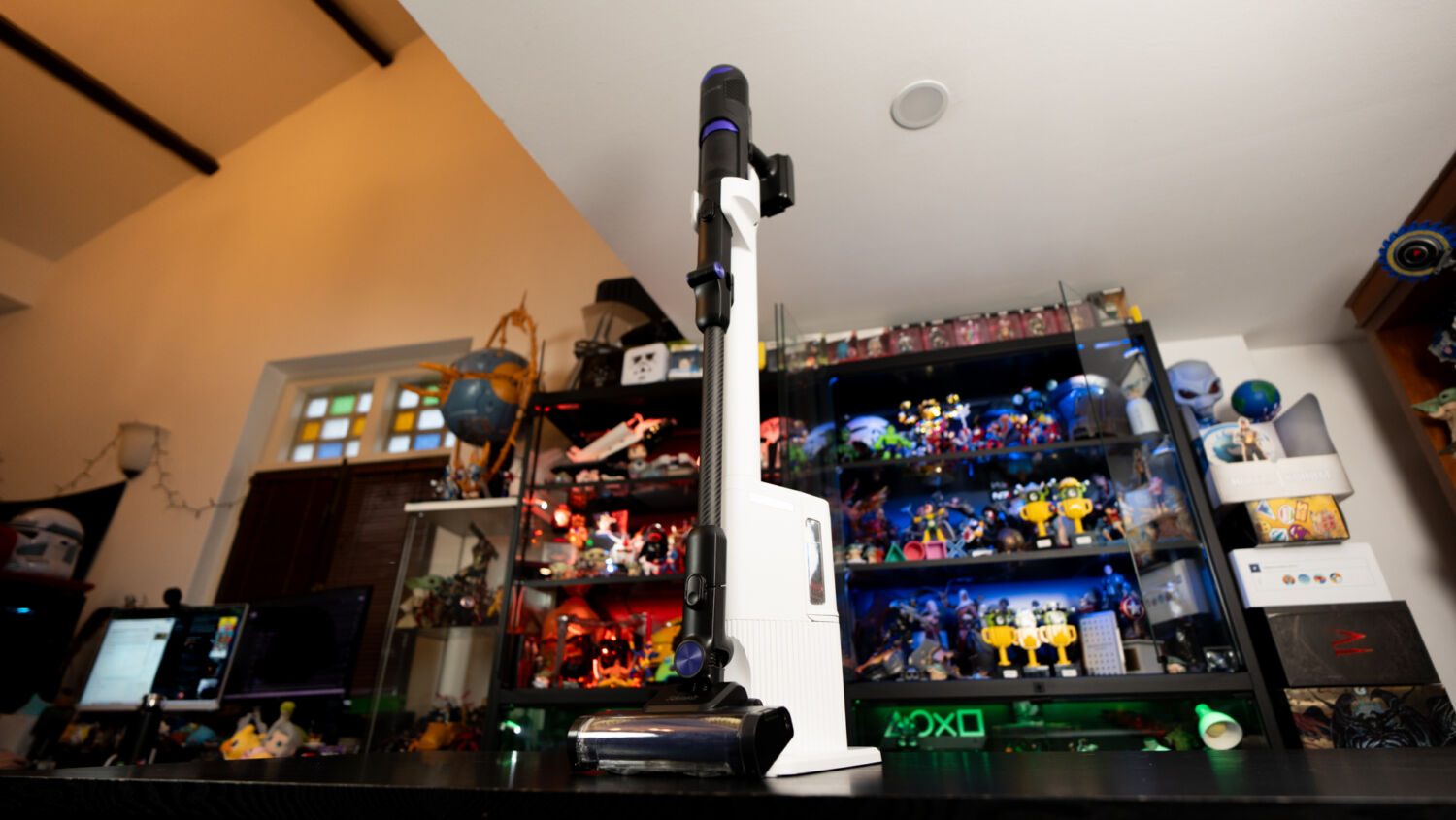
The company’s latest flagship cordless vacuum, the Shark PowerClean 360, aims to build on the strengths of its predecessors – of being easy to use, with niftier quality-of-life features including a self-emptying dock and greater flexibility over its peers, offering users simple innovations that most don’t even realise they need in a vacuum.
Out of the box, the unit comes in just three components – the pistol-shaped vacuum, a charging and Auto-Empty dock, and an additional vacuum head accessory that functions as both a crevice and brush tool. Once assembled, and with the vacuum in its dock, the unit stands at roughly 110cm tall, with its base measuring 23 x 34 cm, allowing it to fit relatively easily in most corners in homes.
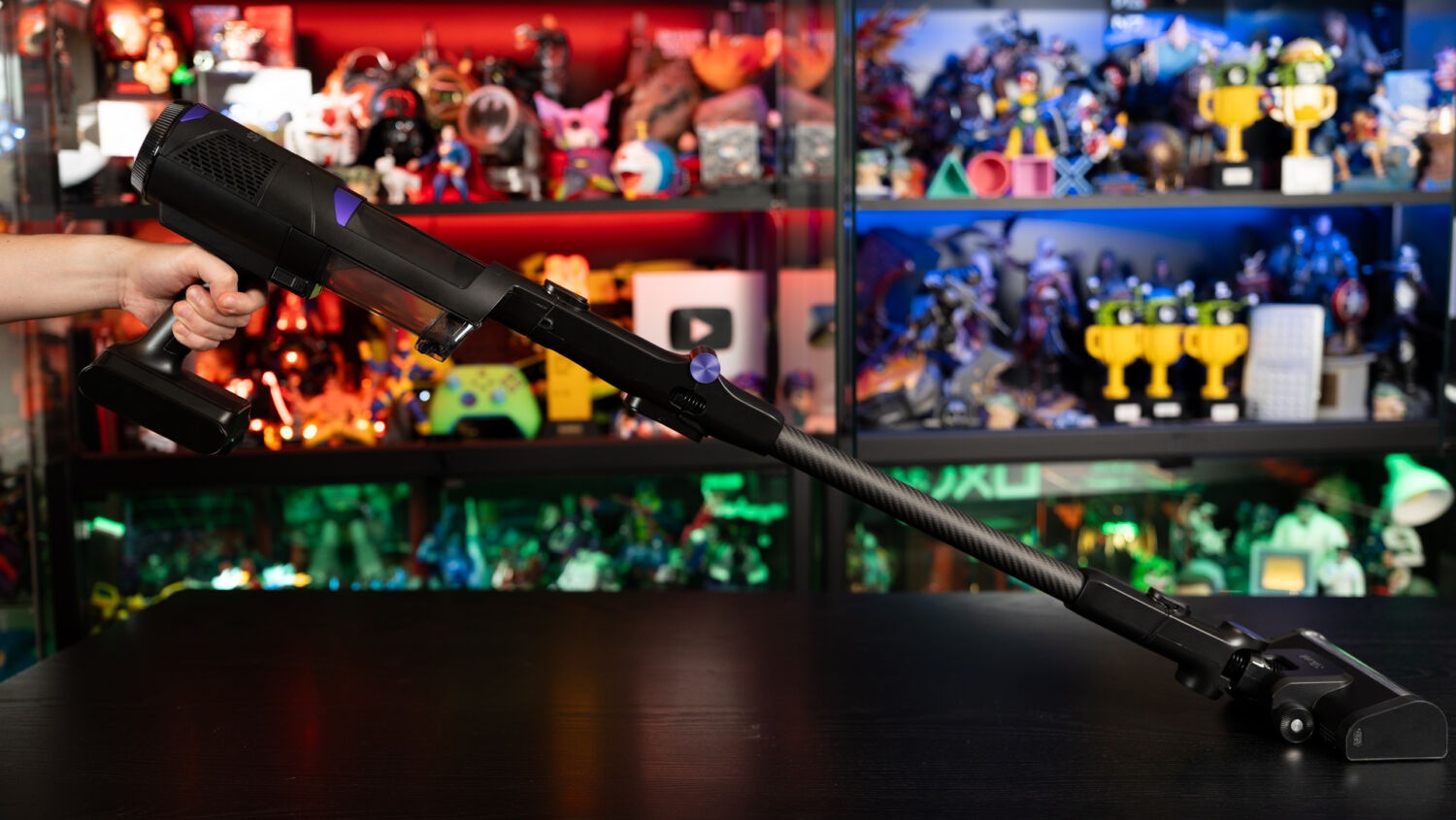
The main vacuum unit itself weighs roughly 2.2kg, which makes it slightly heavier than past Shark devices such as the EvoPower System NEO+, but that does little to affect its overall comfort when in use, with the vacuum’s head gliding over surfaces with ease, leading to less strain on the wrist even after prolonged use.
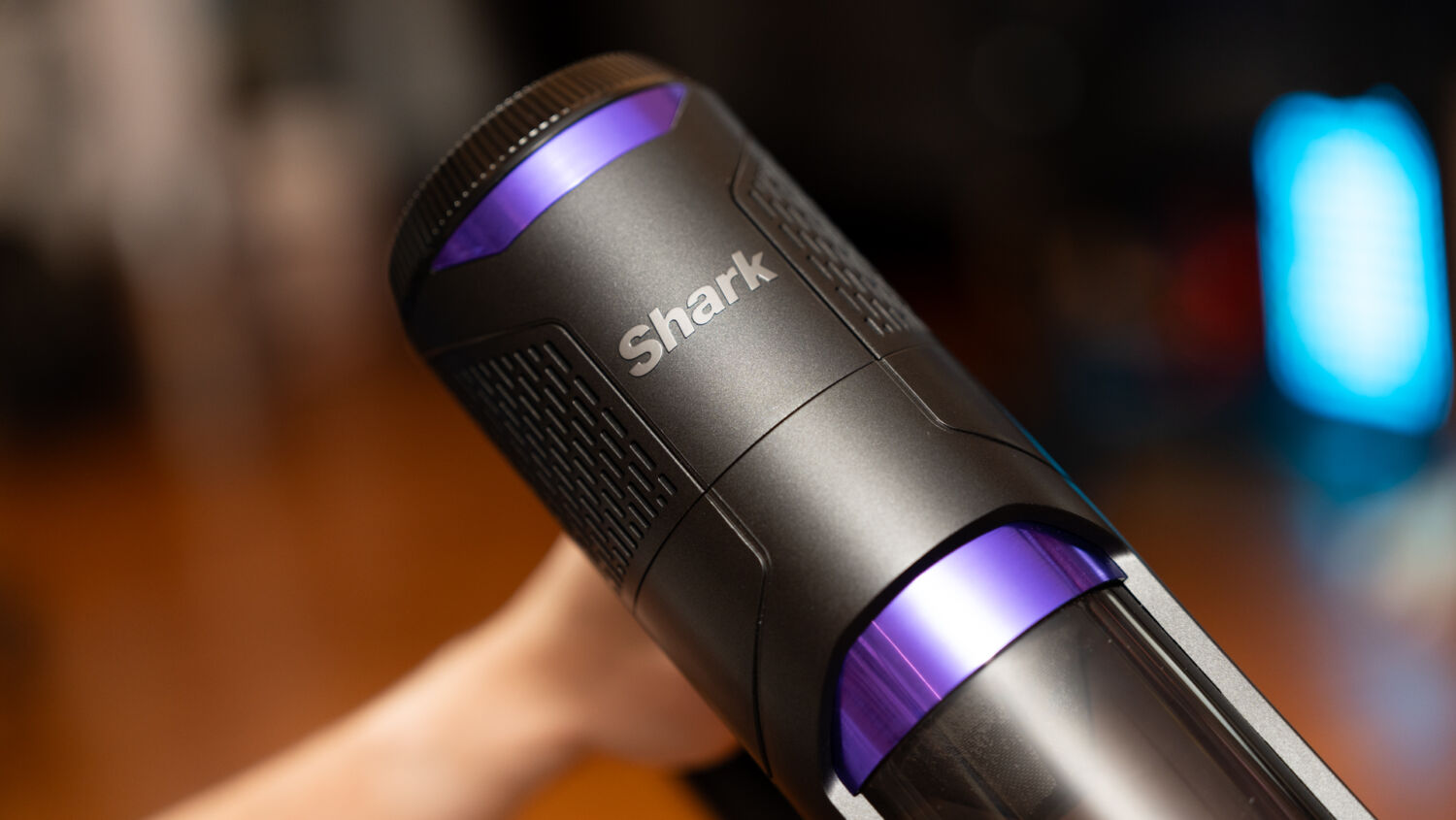
In terms of controls, the Shark PowerClean 360 has just two buttons on the main unit itself – an on/off switch and one to change suction modes. The former is self-explanatory, while the latter toggles between three modes – an Eco setting that operates the unit on its lowest possible suction power to save battery life, a Boost mode that runs it at maximum, and finally, the most interesting of the three, an IQ mode that dynamically adjusts suction power depending on the situation, with the unit making use of three different types of sensors throughout its chassis to determine suction strength.
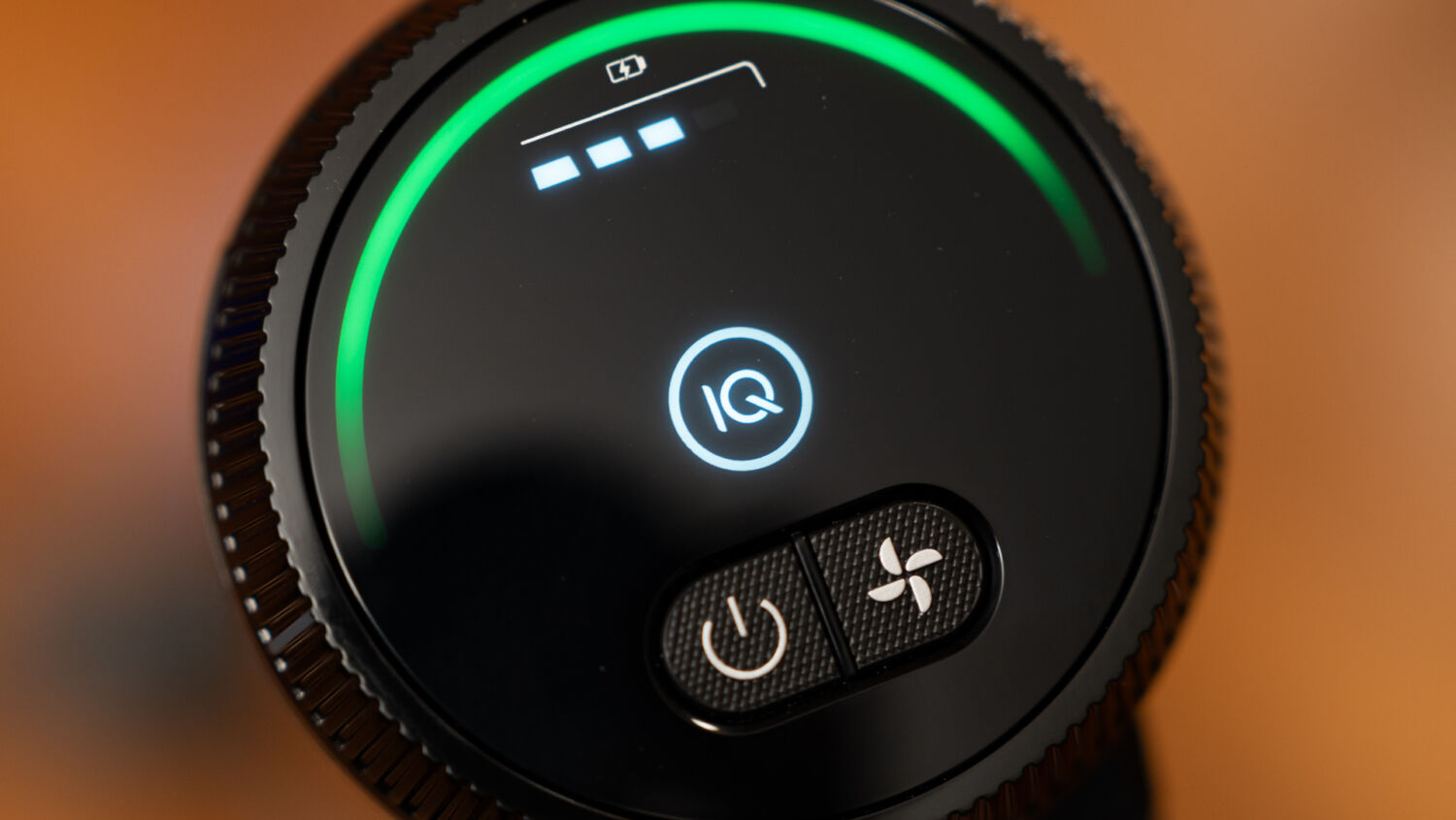
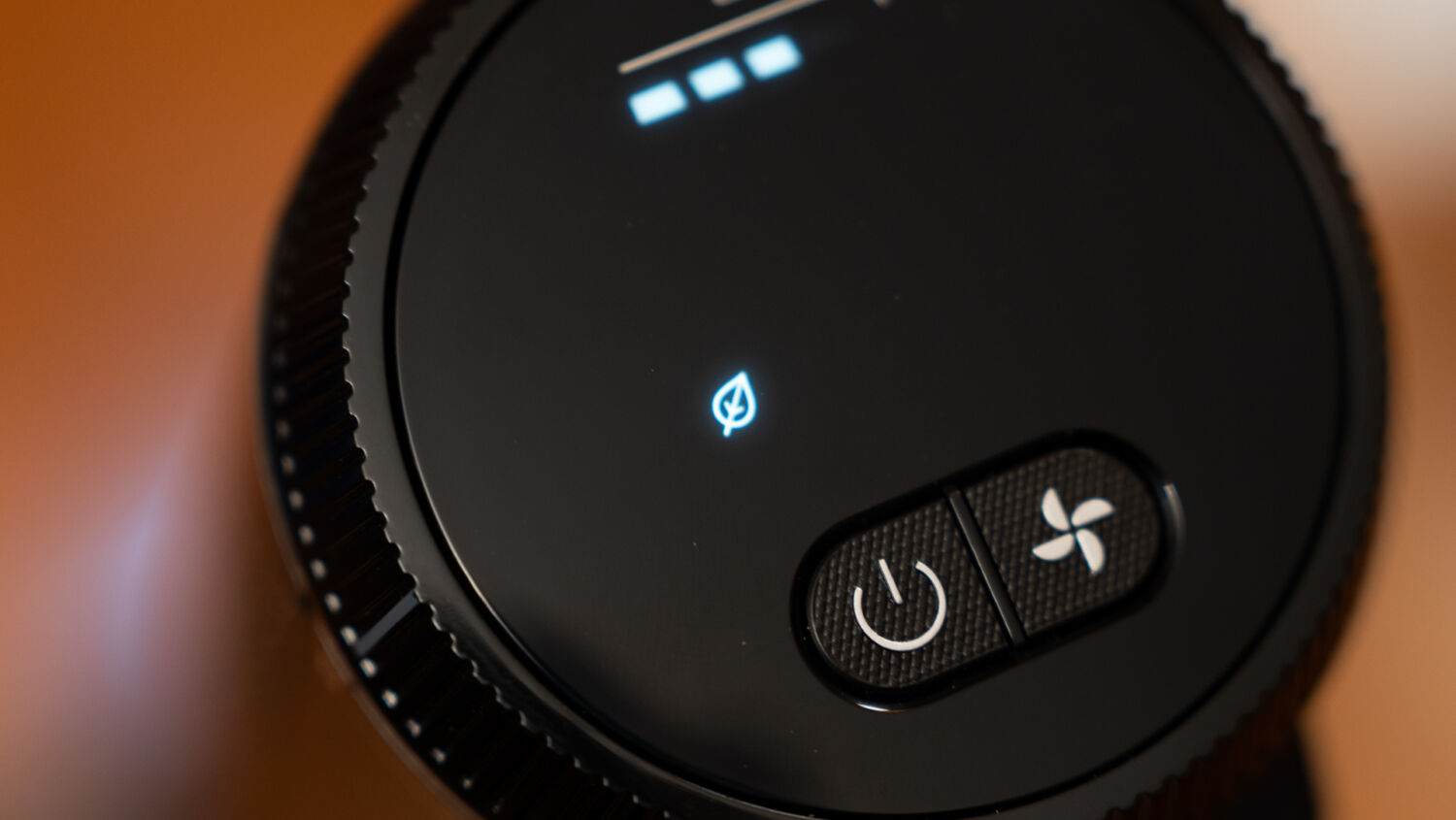
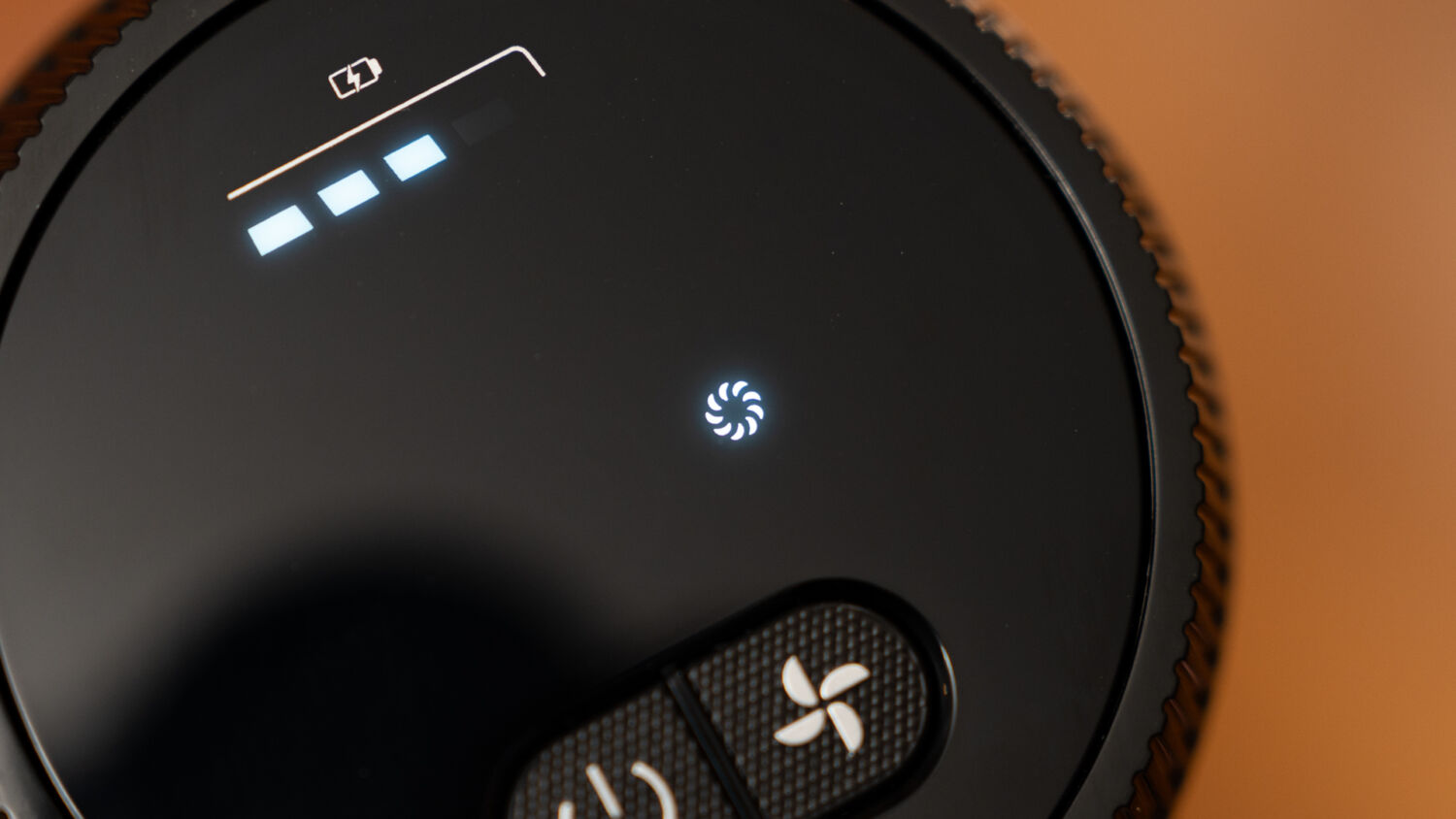
First up is the Dirt Sensor, which is located within the interior of the vacuum’s nozzle. As its name suggests, this detects the amount of dirt that the brush head is tracking over, and adjusts the suction accordingly when using it in IQ mode, alongside one of three coloured LED indicators on the unit’s screen. Green for when the unit is functioning under normal conditions, orange for when it’s in the process of removing tougher dirt from a location (to which it will then revert to green once it’s cleared), and red for when there’s heavy debris, in which the unit will automatically activate its maximum power before moving to orange, and finally, green.
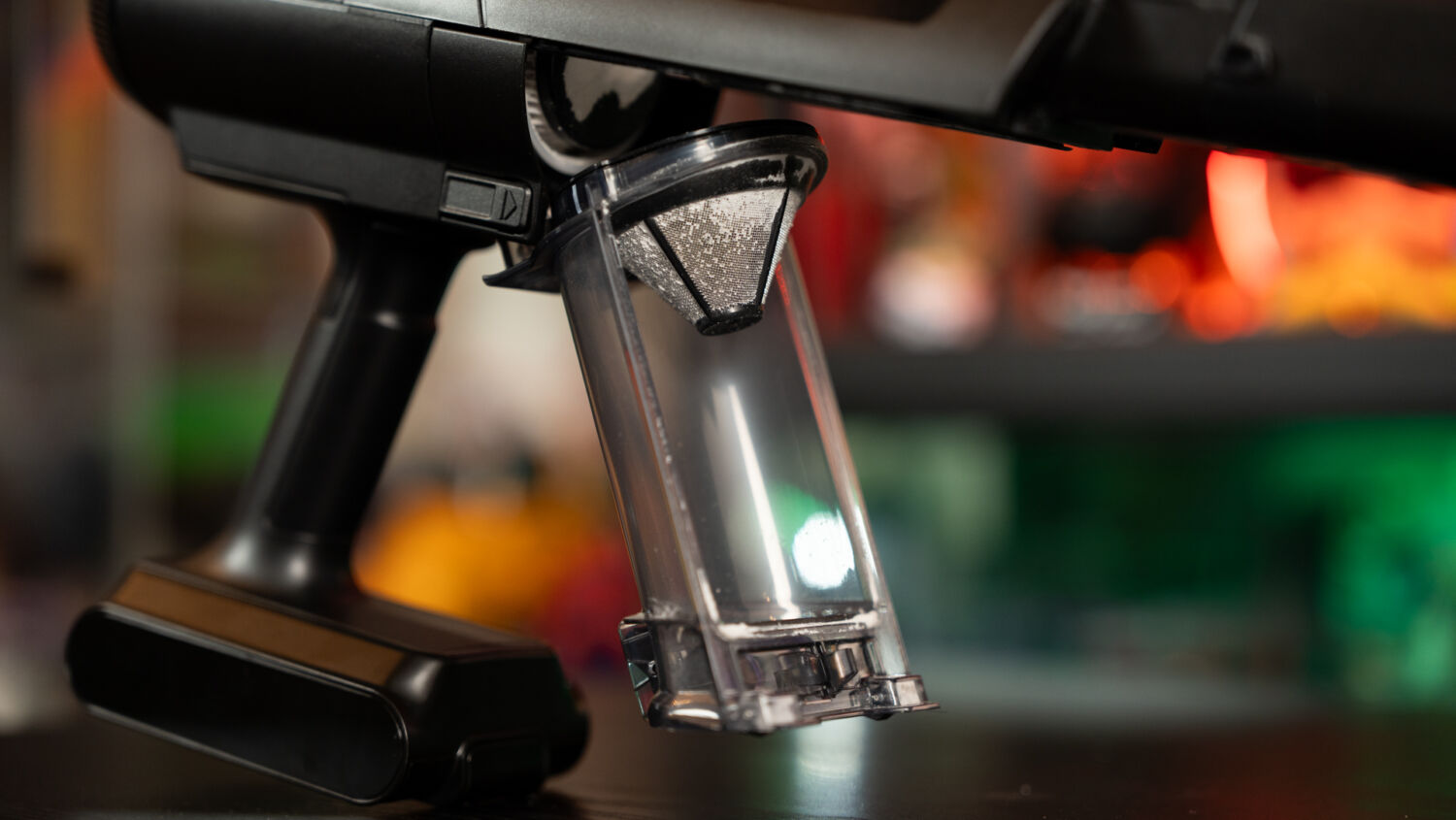
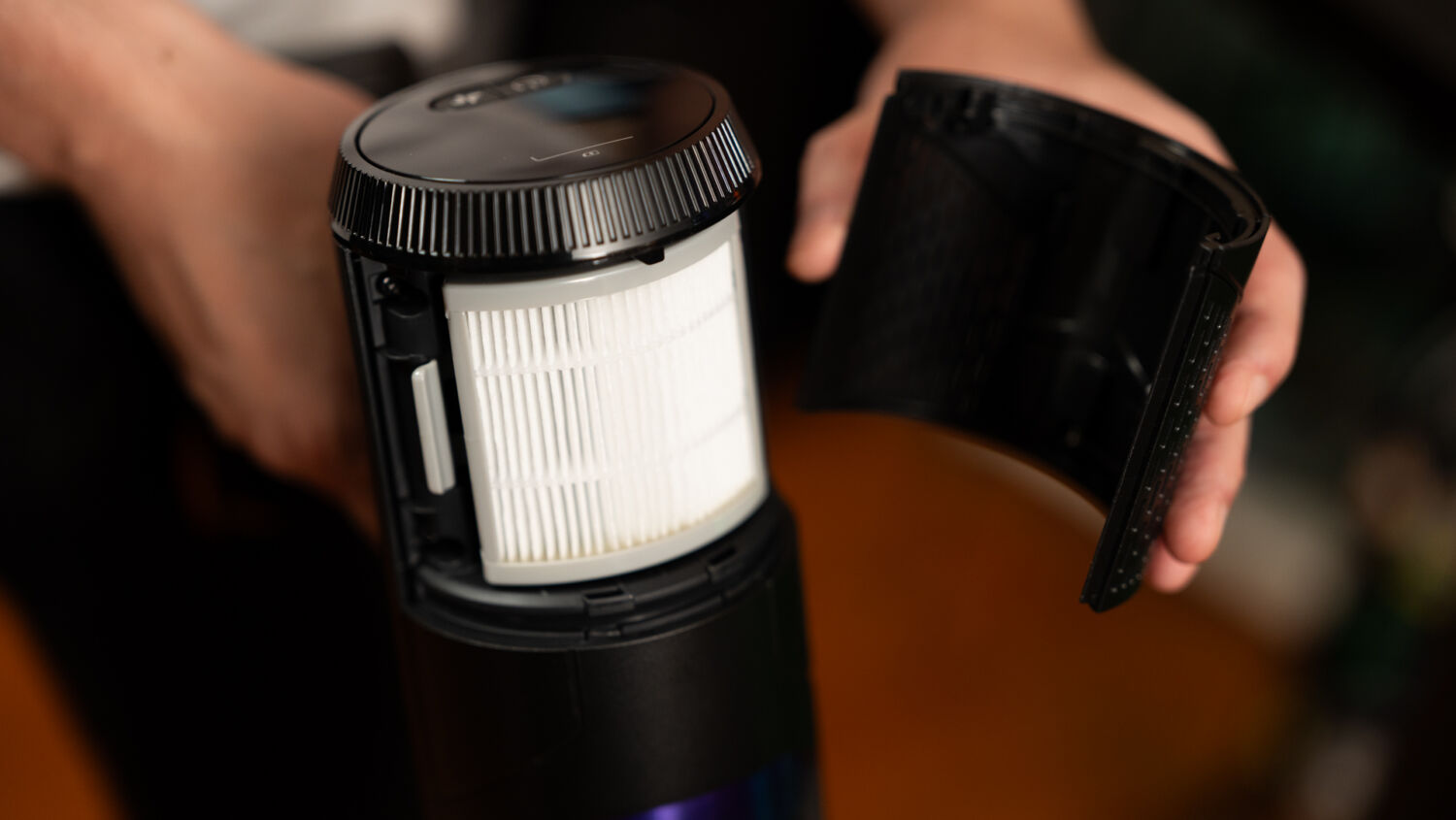
Additionally, the red light will start blinking whenever there’s a need to clean the unit’s filter, which can be easily accessed by first opening its dust cover, and then pressing two buttons on its side simultaneously to remove the entire compartment. The blinking red light will also show up when the brush head is caught on an obstacle – such as the corner of a rug – and the vacuum will shut off automatically.
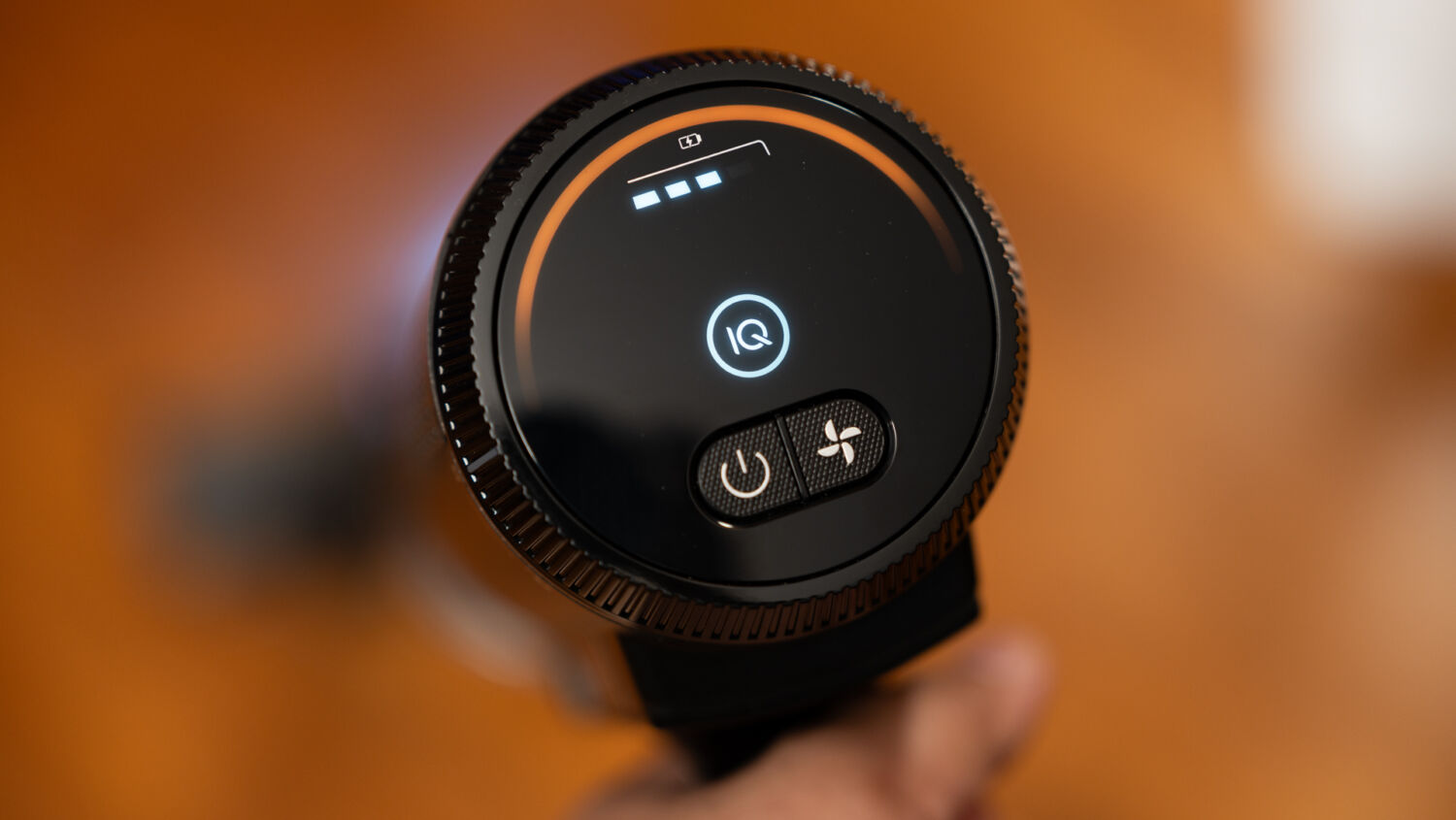
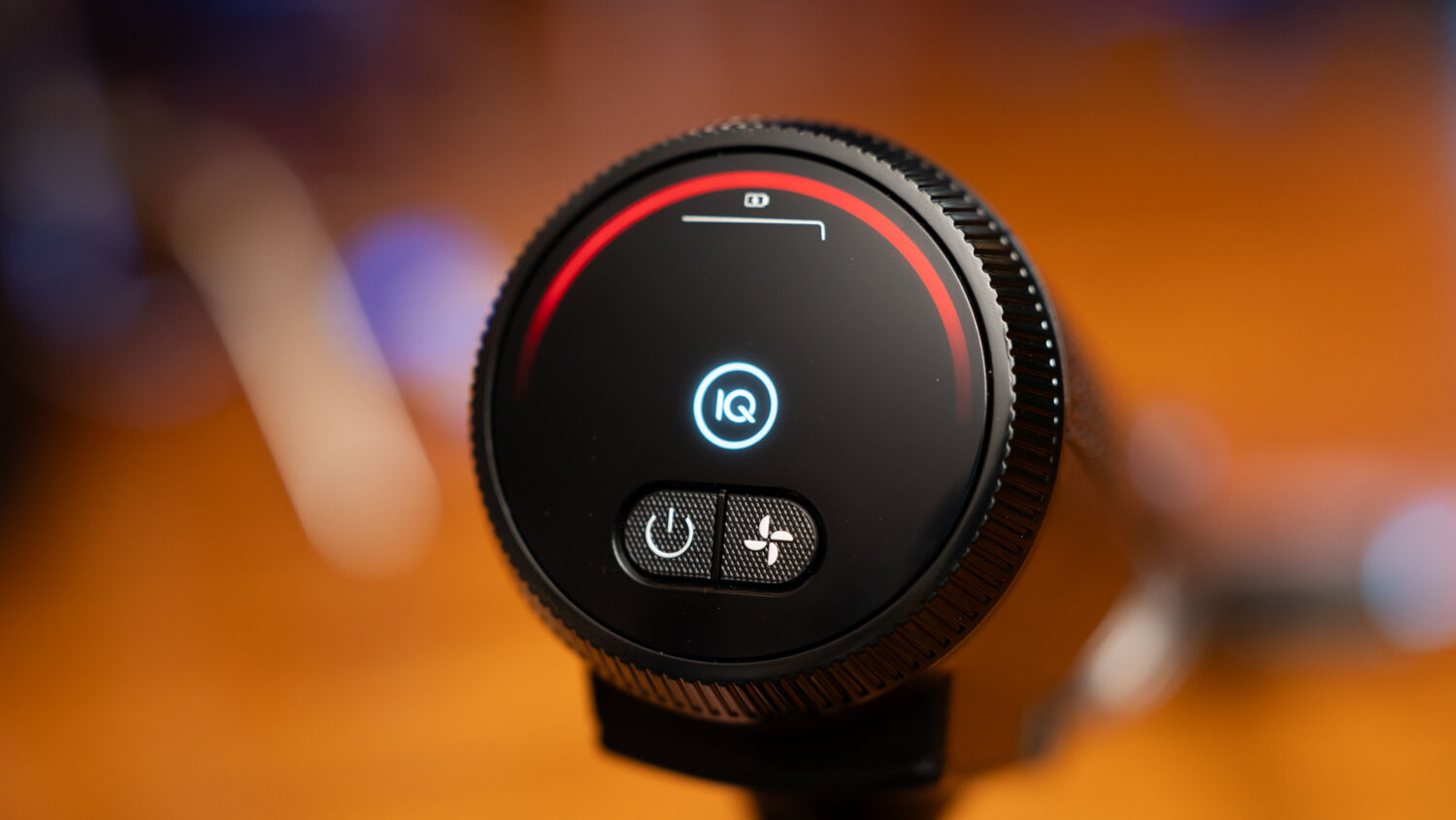
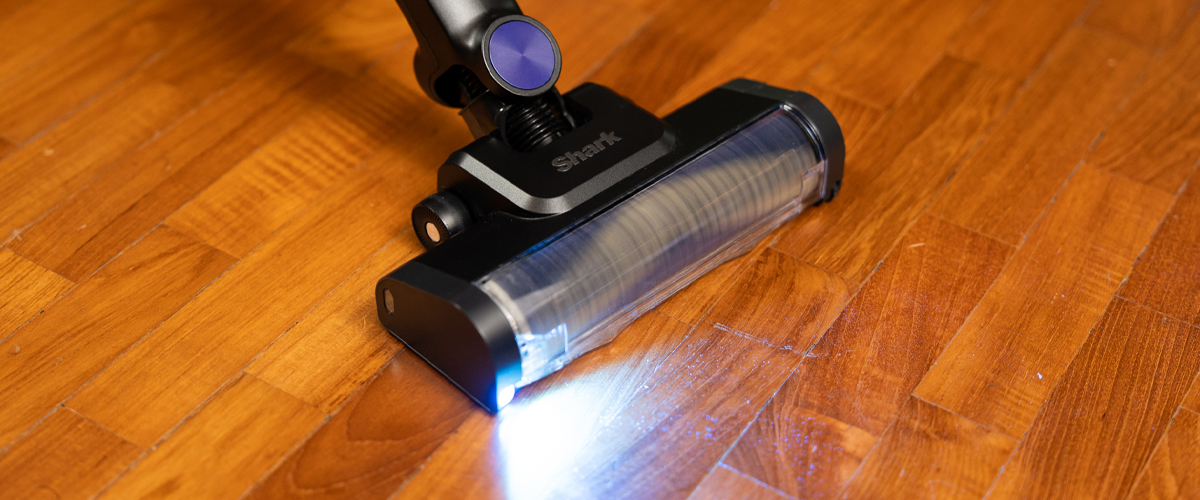
Throwing several spoonfuls of floor on our wooden floor, the unit easily detected an increase in material to clean using its IQ mode, and the unit increased the suction accordingly, as we made a couple of passes to clear up the floor.
The remainder of the sensors lie in the vacuum’s brush head, and comprises a Floor Sensor, which changes suction power depending on the type of surface being cleaned – vacuuming a rug, for example, ramps up the unit’s power to its max – and an Edge Sensor, which detects when the sides of the vacuum’s head are rested against a surface, which automatically engages max power to suck up dirt in those hard to reach edges along walls. Both these features worked well, as we vacuumed along the edge of our wardrobe and cupboards with greater ease without having to use our toes to dislodge dirt stuck along the edges.
And as we transitioned the cleaning from a hard surface to a rug, the suction power adapted accordingly. You’re supposed to change brush heads on other vacuums when cleaning rugs and carpets, but few people do that, and the PowerClean 360 eliminates that hassle. Again, these features are only available using its IQ mode, as Eco mode forces the unit to operate on its lowest possible strength at all times.
Speaking of the vacuum’s brush head, this is also where its most significant innovation lies, as the Shark PowerClean 360, much like its name suggests, is capable of sucking up dirt from all angles and directions, including when you pull the unit backwards. Most users might not know this, but conventional vacuum cleaner heads only allow dirt to be channelled and sucked up when cleaning with a forward motion, which means that when you drag the unit back over a spot of dirt that you’ve pushed forward again, you aren’t actually sucking anything up, just merely pushing all that debris along the path.
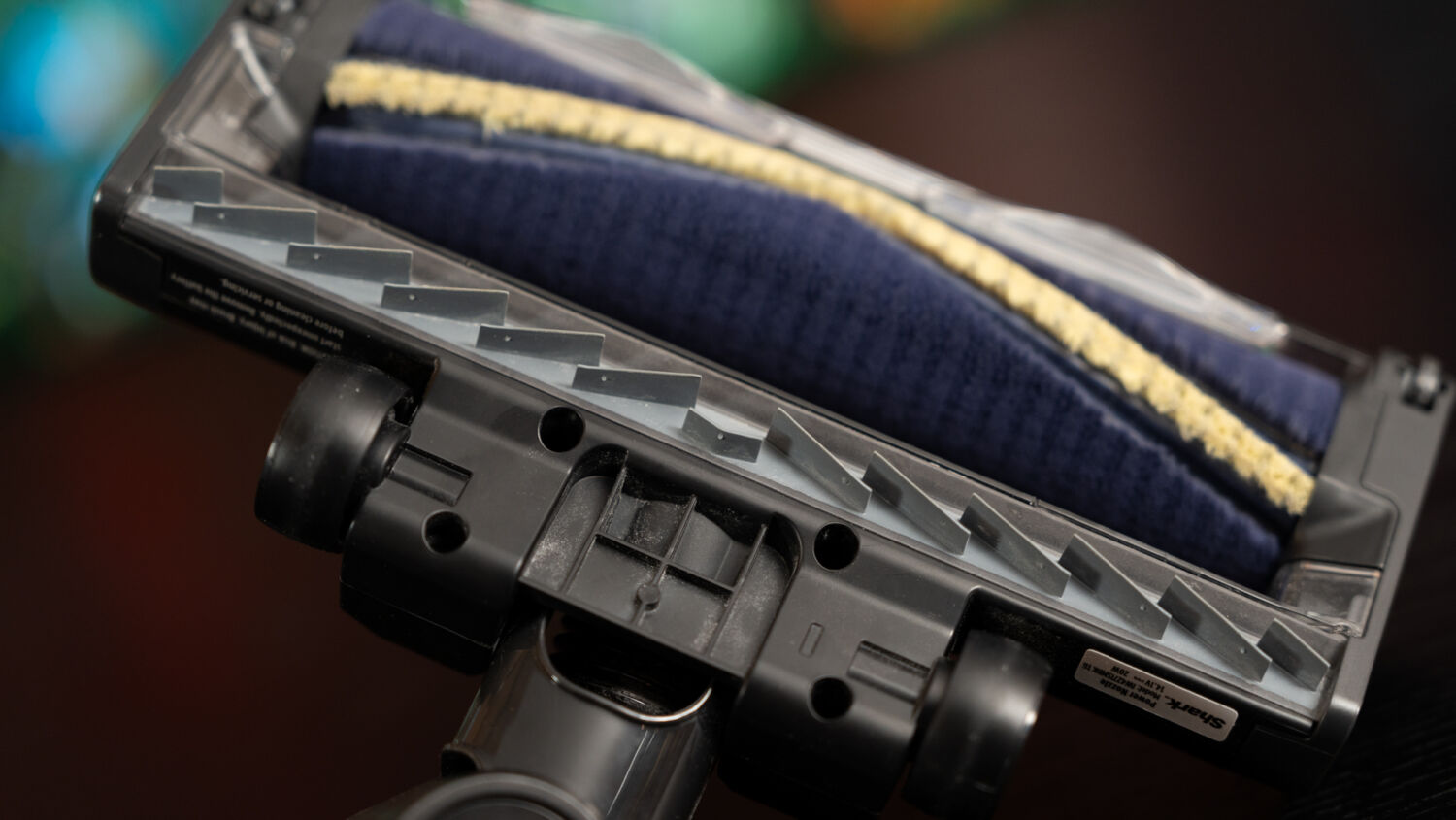
The Shark PowerClean 360 solves this common issue by introducing an Active Flap design located at the bottom of the unit’s brush head, providing openings to channel dirt into the suction chamber, thus enabling reverse cleaning. This also extends to the sides of the head, which results in the unit sucking up dirt from all four corners. Simply put, this is quite the game-changer, as surfaces can now be cleaned with both forward and backward passes, which results in less back and forth, and twice the cleaning with the same effort.
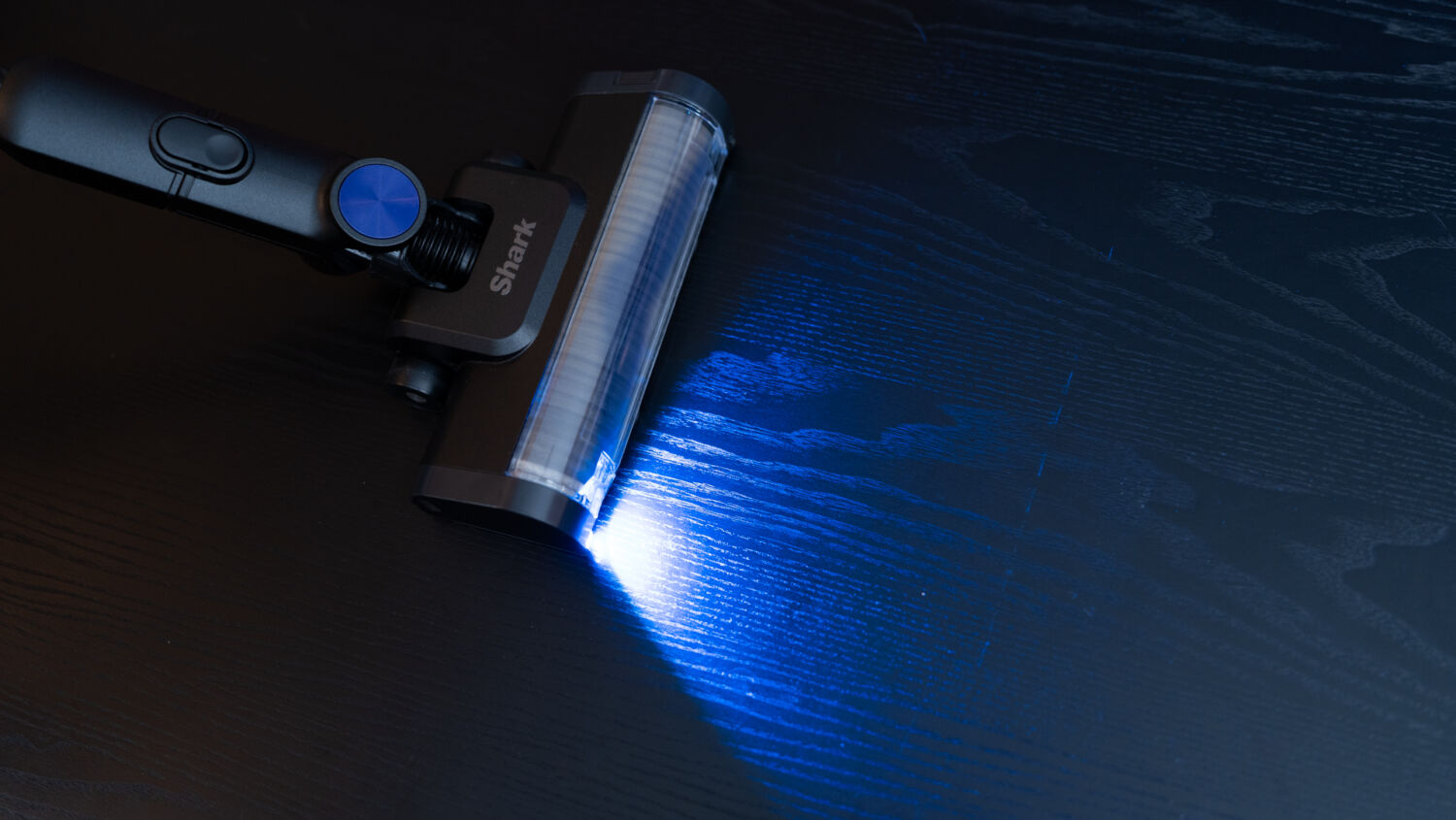
That’s not even all the unique features hidden in just the brush head, as nestled deep within its interior is a built-in “comb” that rests against its cylindrical brushroll to tackle the dreaded strands of long hair that have long been a bugbear for anyone who does housework. Instead of finding strands of hair tangled around the roller, the comb prevents stray hairs from tangling around the brushroll, allowing it to be properly sucked up into the nozzle instead of wrapping around it. A hair detangler is one of the more recent additions to home vacuums, and different brands have their own implementations, but the one here proves to be efficient, while helping to reduce the need for manual maintenance since no one likes using their fingers to pull out strands of hair tangled with dirt. Finally, the brush head also emits a blue light that shines forward when turned on, helping users to better identify the amount of dirt on surfaces in front of it.
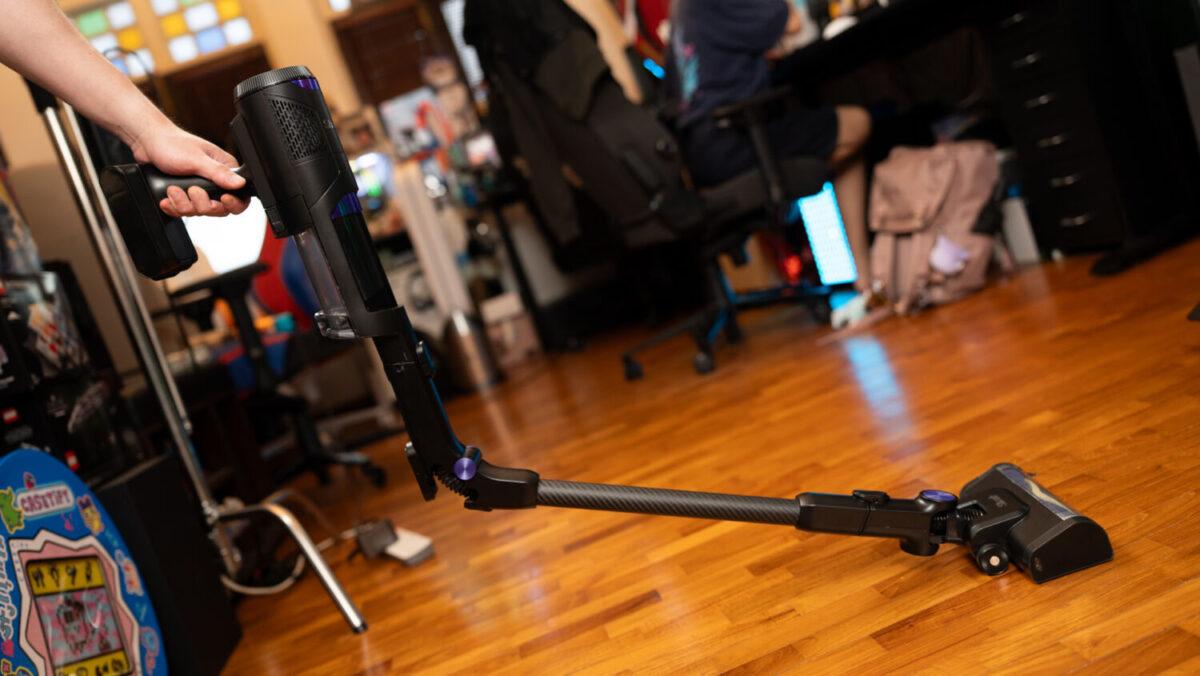
Wrapping up the features of the main vacuum unit is the return of the Multi-Flex wand, which greatly eases the cleaning process when targeting hard-to-reach areas like under the hard to reach areas under the couch, shelves and beds. By pressing a button located in the middle of the unit’s wand, the Shark PowerClean 360 can bend up to 90 degrees, allowing users to vacuum difficult areas more efficiently without physically bending all the way down or leaning forward to extend their arm until it almost touches the floor.
With the combination of its accessibility features and innovative additions, particularly surrounding its brush head, using the Shark PowerClean 360 is a fuss-free affair, as it glides effortlessly across different kinds of surfaces, including rugs, and is also able to reach all manner of nooks and crannies thanks to its flexible wand design.
On a full battery charge, the vacuum was able to clean our entire 90-square-metre office with ease on its Eco mode, which is good enough for general cleaning, leaving a little over half the battery remaining after it was done. Switching over to IQ mode, which ramps up the suction on certain surfaces and while cleaning corners, it was only able to clean the first floor (~50 square metres) – thanks to just how many edges there were due to numerous tables and shelves – with its battery draining completely after 24 minutes while it was halfway up the stairs leading up to the loft. Finally, Boost mode, which engages overdrive constantly, wasn’t able to clean the entire first floor.
Once all the cleaning is done, the vacuum can be placed back on its charging dock, which includes a nifty Auto Emptying feature that automatically drains its dust compartment into a collection bin at its base, without the need for manual labour. Of course, if a user wishes, they can still manually empty out the dust compartment via a hatch on the vacuum itself, and this dust receptacle is big enough that using it to clean for its entire battery duration on Eco mode (roughly 40 minutes) barely filled it with dirt and debris.

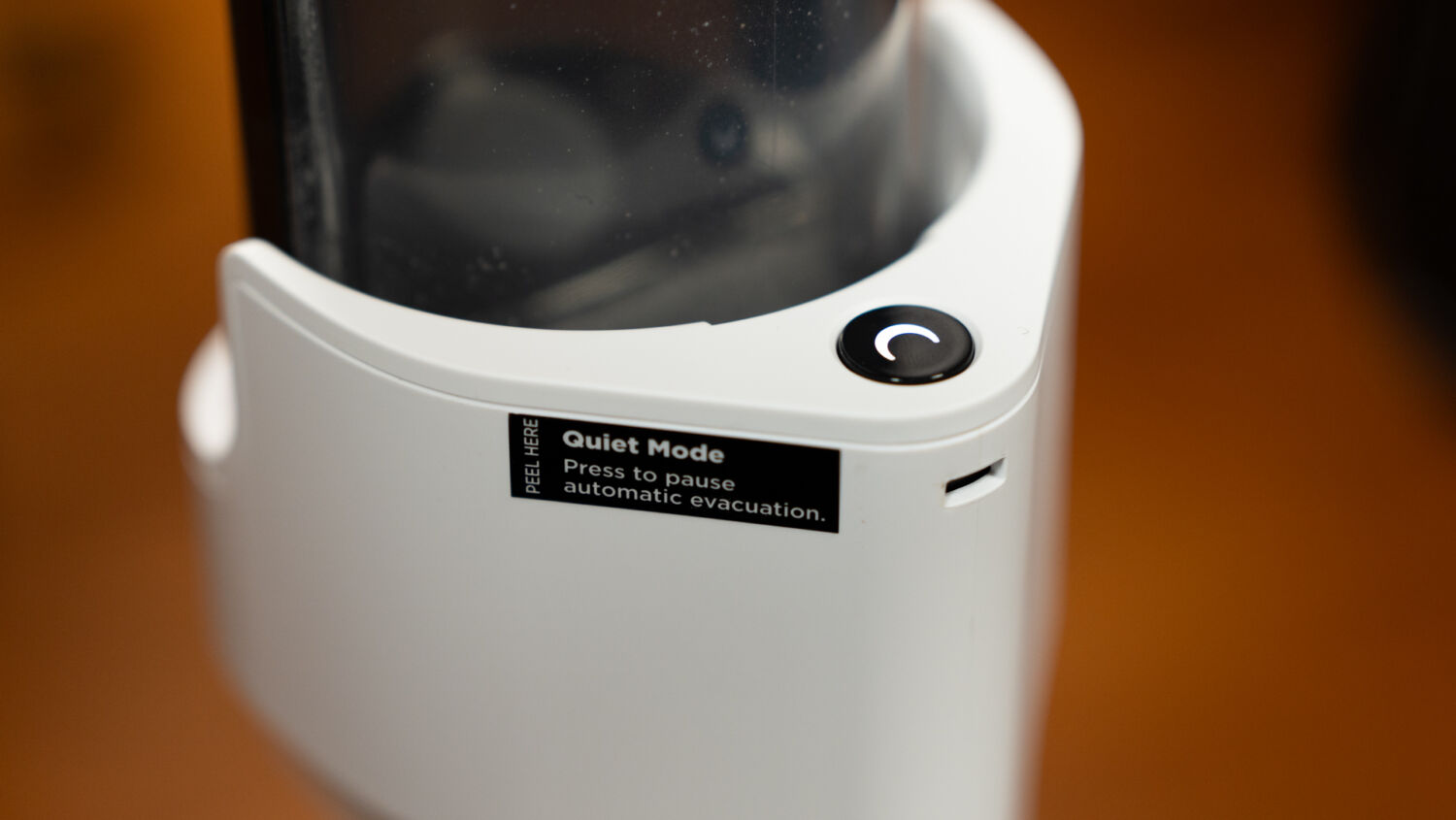
The Auto Empty dock also features a “Quiet Mode” button near the latch used to hold the vacuum in place, which prevents the dock from emptying the dust compartment when docking the unit. This is useful for times when you don’t want to make too much noise, such as cleaning at night. After multiple rounds of cleaning and emptying, the debris collection bin located near the bottom of the dock can be removed with a latch, with an additional button on the bin itself to unlock a panel that empties its contents directly into a bin, again, without using your hands to directly yank out anything.
While the dock is undoubtedly a convenient way to clean the main vacuum unit without getting a user’s hands dirty, it also comes with its own set of issues. The most severe of which is the collection bin’s tendency to “leak” finer dust and hair out the bottom. Due to the dock using suction to power its Auto Empty feature, the bin is designed with holes at the bottom to allow air to flow through during the suction process. While said holes are protected with a dust cover, some finer dirt particles, and even short hair strands, can sometimes escape through these holes and onto the dust filters that sit beneath the bin.
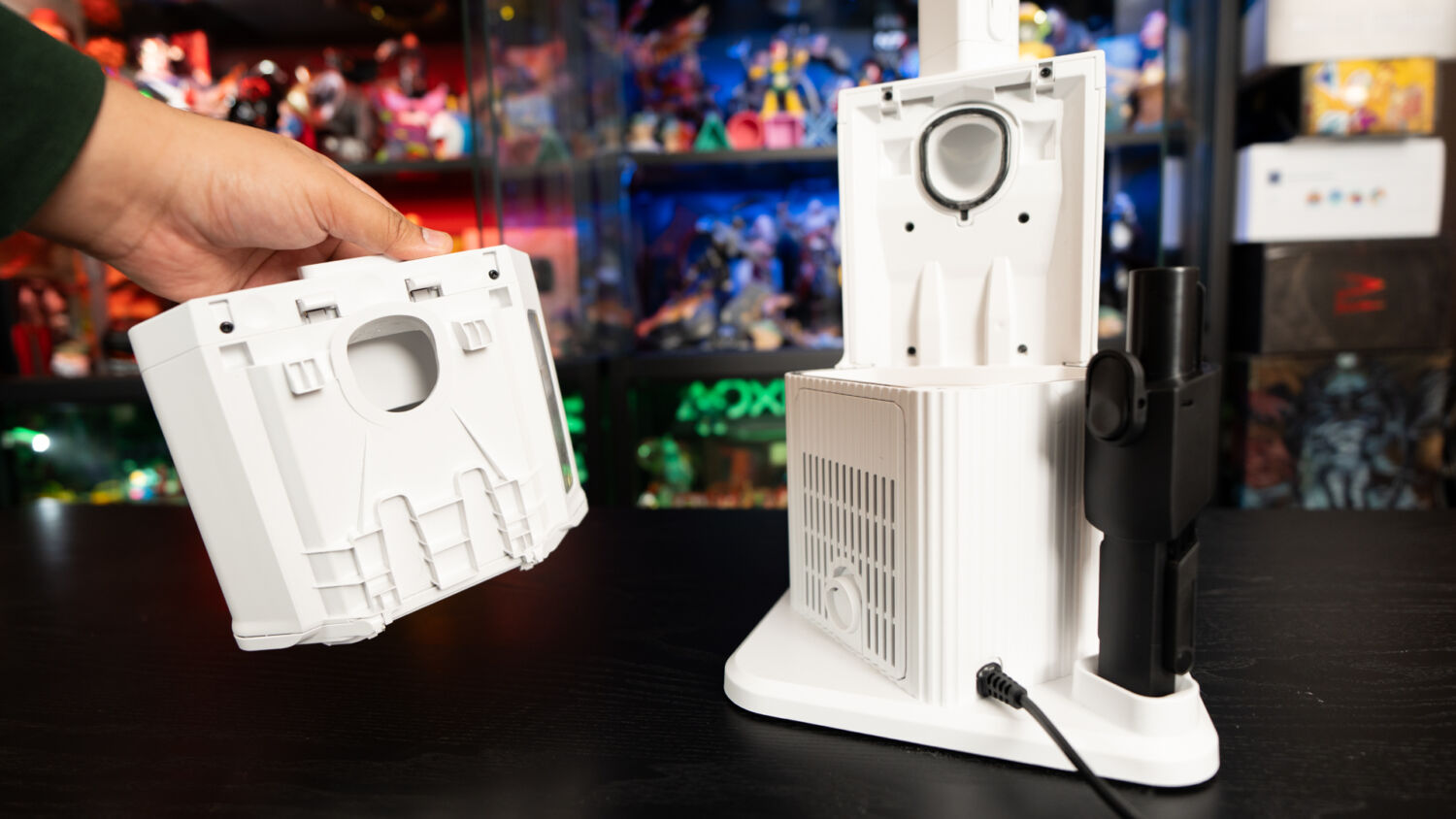
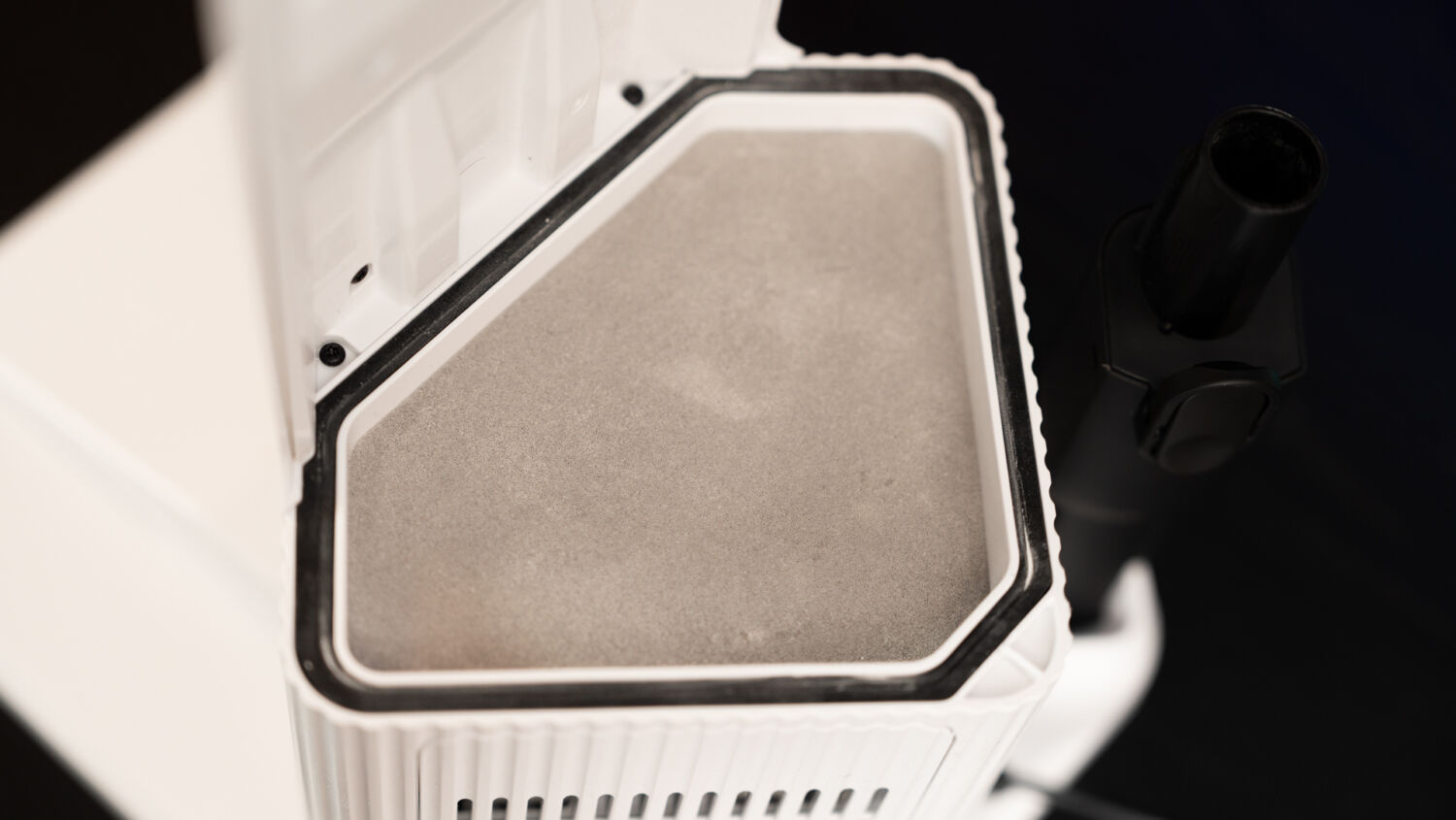
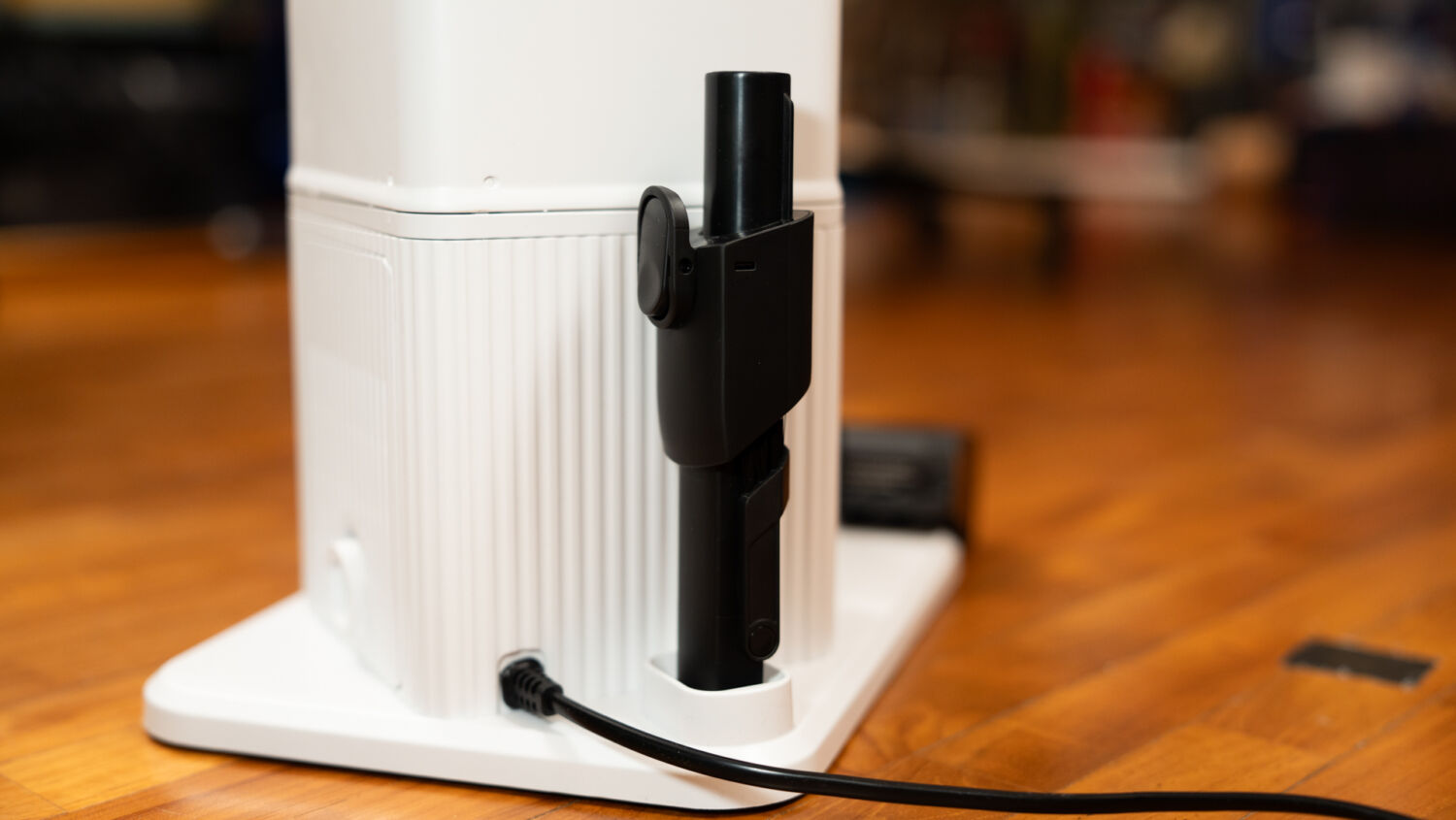
What this means is that these filters get dirty rather easily and thus require regular cleaning. In essence, although the Auto Empty dock negates the need to constantly clean the vacuum unit’s dust compartment, users will still end up needing to do some type of manual maintenance from time to time, as they will need to clean out the filters below the dock’s collection bin after several rounds of use.
Overall, the Shark PowerClean 360 presents a comfortable and, most importantly, effective cleaning experience. Its reverse cleaning unlocks a new cleaning feature that many don’t realise they need, while the dynamic suction means there’s less thought needed when moving from area to area, and floor type to floor type.
Minor annoyances like a leaking dust collection bin aside, we haven’t even touched on perhaps the vacuum’s biggest selling point of all – its price.
At S$849, which is cheaper than its closest competitor among Dyson’s line-up, the Shark PowerClean 360 offers a more substantial package thanks to its inclusion of a self-emptying dock and superior ease-of-use features. With the amount of additional features out of the box at a lower price point, it’s easy to forgive its shortcomings, making this respectable but imperfect cordless vacuum a more enticing choice for those who are looking for a more feature-rich cleaning package.
Product images were shot using a Sony α7 IV Full-Frame Hybrid Camera equipped with a 28-70mm F2 GM lens.
GEEK REVIEW SCORE
Summary
While not without its minor annoyances, the Shark PowerClean 360 is a powerful and handy vacuum that has an edge over its competitors with its reverse suction and other innovative features, but also an entire self-emptying changing dock, all at one complete, affordable package.
Overall
8.5/10-
Aesthetics - 8/10
8/10
-
Build Quality - 8/10
8/10
-
Performance - 8.5/10
8.5/10
-
Value - 9/10
9/10
-
Geek Satisfaction - 9/10
9/10

Kevin is a reformed PC Master Race gamer with a penchant for franchise “duds” like Darksiders III and Dead Space 3. He has made it his life-long mission to play every single major game release – lest his wallet dies trying.

 HSALS
HSALS
 Si Jia
 Yonk
Yonk