Once the darling of wearable sports technology, fitness tracking is nowhere near as specialised as it used to be. While the technologies used to record a user’s health might have required dedicated wearables in the past, it’s much more convenient to just fork out the dough for a smart watch these days, as many already feature such in-built fitness trackers. With such technology already becoming increasingly accessible, does this still leave room for standalone trackers?
Smart watches might already provide many of the services required by the average fitness buff, but at the end of the day, a watch still needs to be… well, a watch. This means having a display large enough to tell the time with sufficient display real estate for swiping, and sometimes, even just having that additional weight from the watch face is still noticeable enough to be suboptimal. That’s where Google Fitbit Air comes in, an ultra-light, no-nonsense device that doesn’t get in the way and truly puts fitness first.
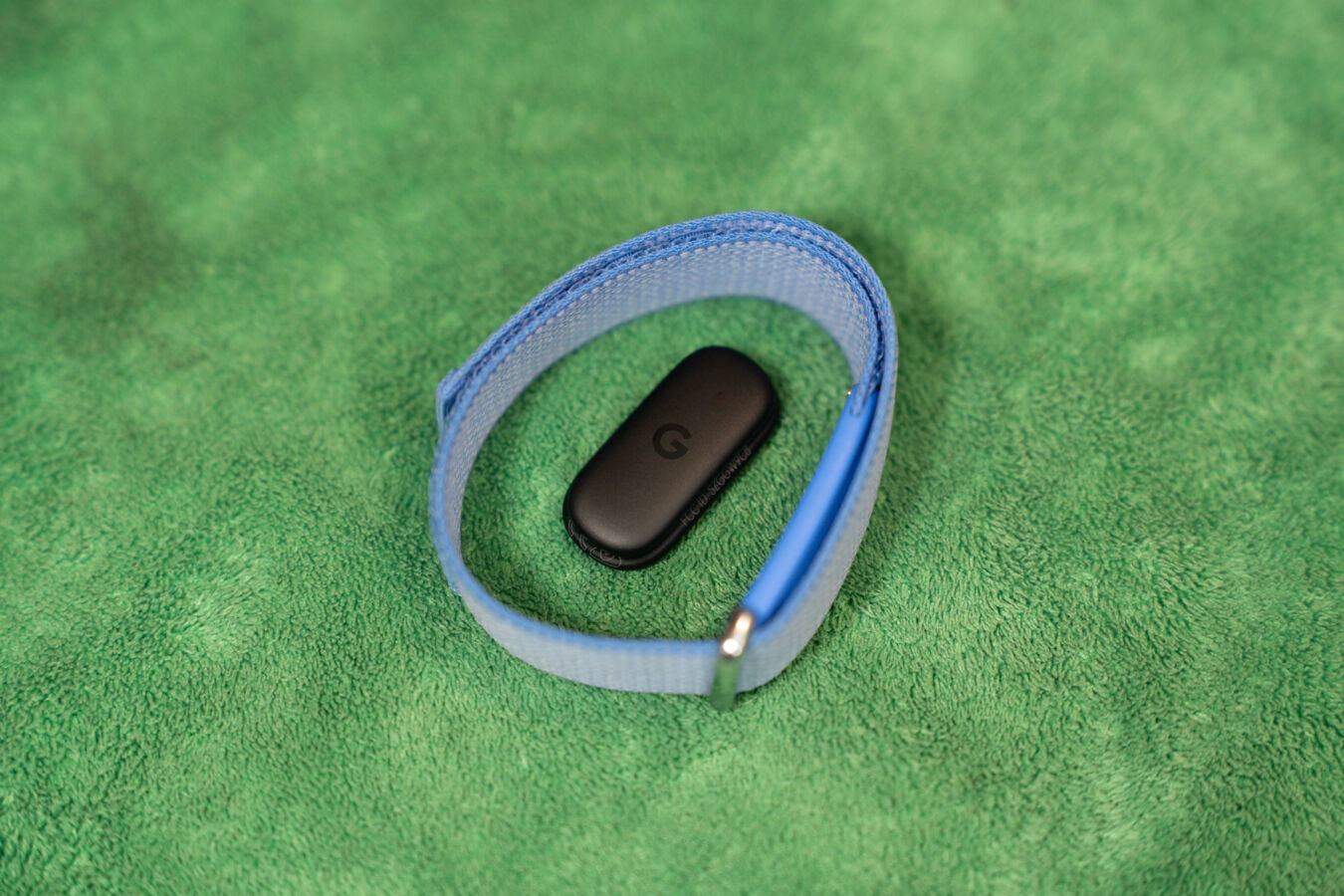
The device is the definition of going lean, and not just in terms of its unobtrusive design, but also its relatively humble asking price of S$189. Available in Lavender (blue), Obsidian (black), Berry (red), and Fog (grey) colourways, the Fitbit Air is designed to be as low-key as possible, packing in all its sensors and doodads in an ultra-thin central unit. Past renditions of the Fitbit were already pretty light and unnoticeable, but this one takes the cake, clocking in at a mere 12g.
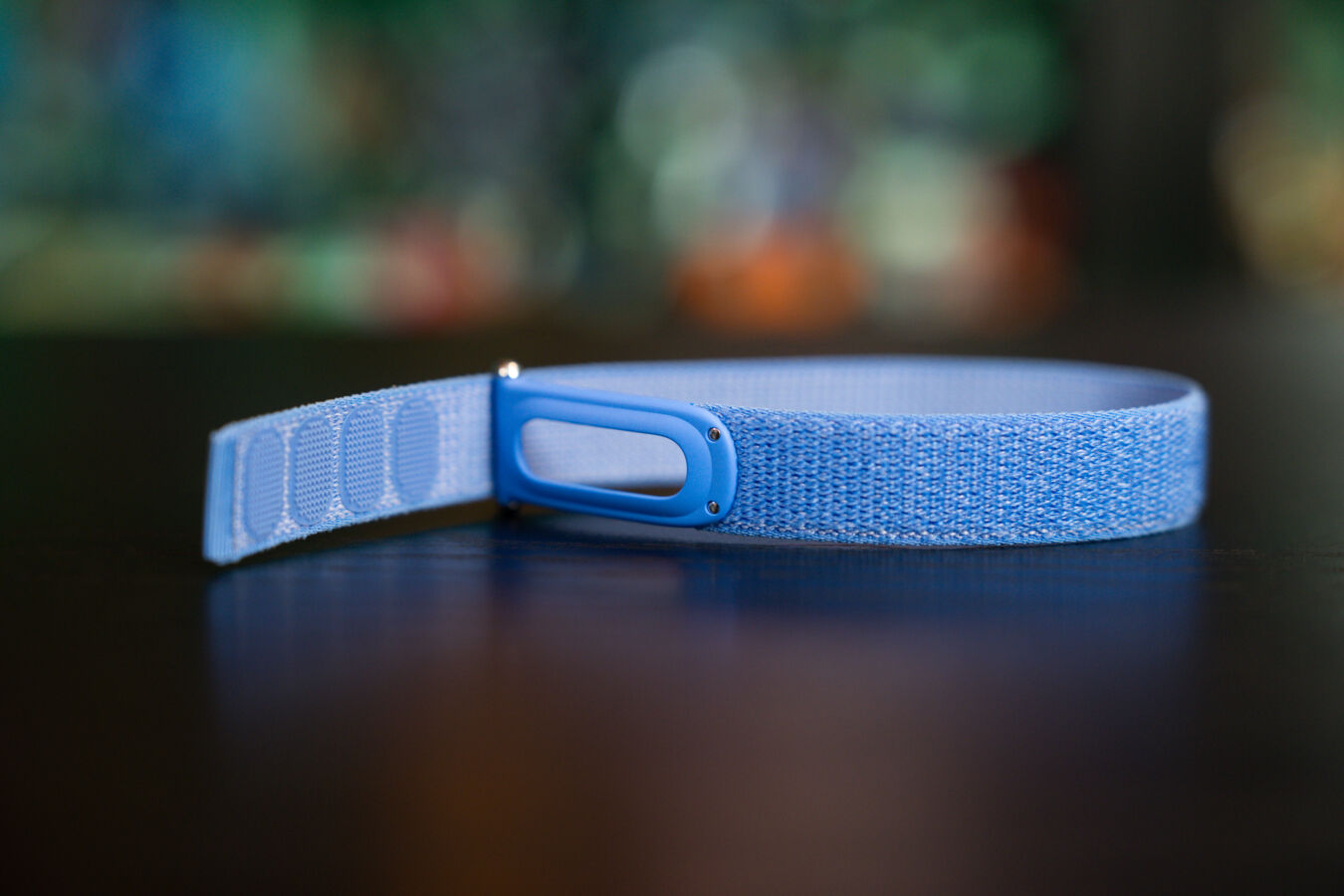
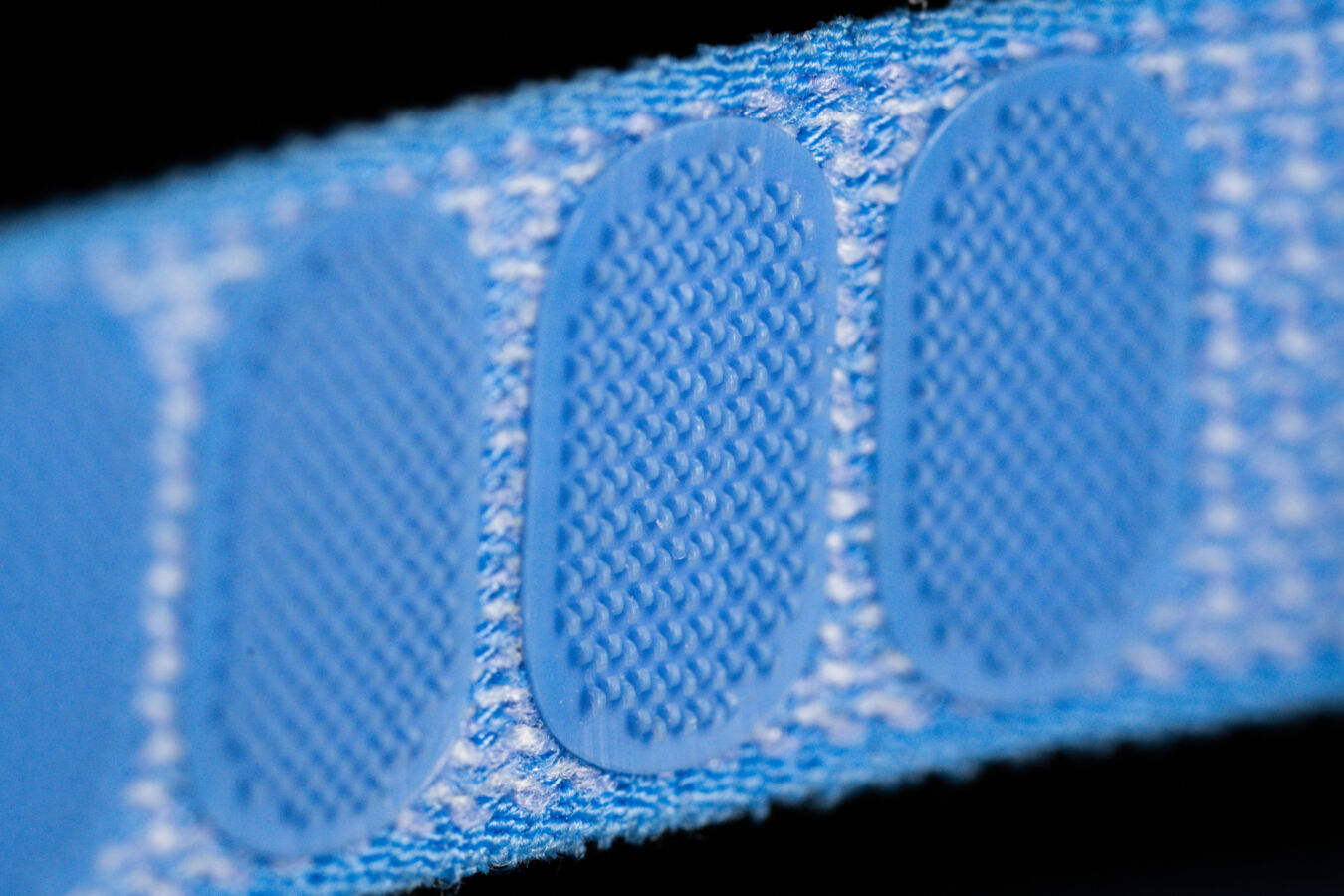
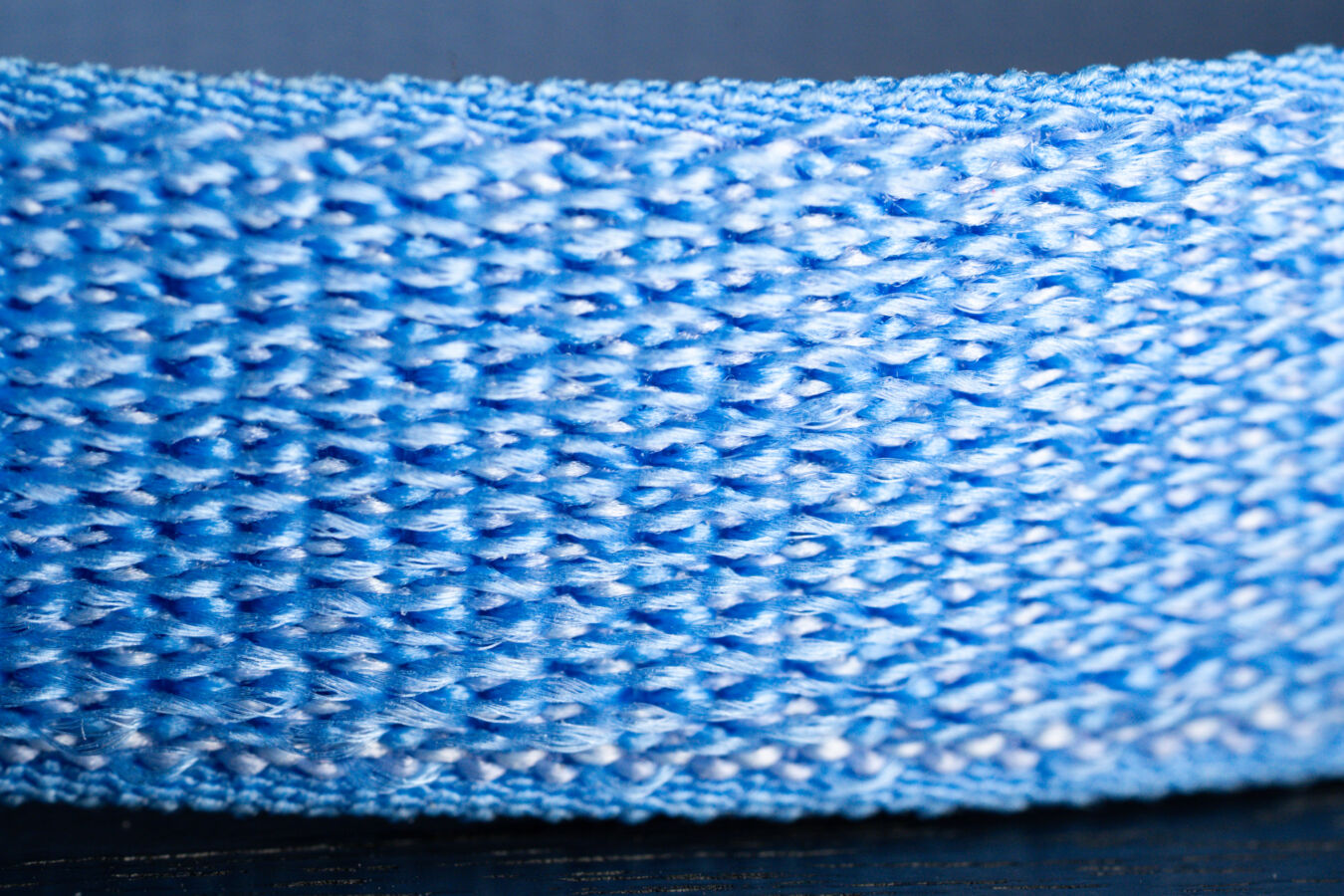
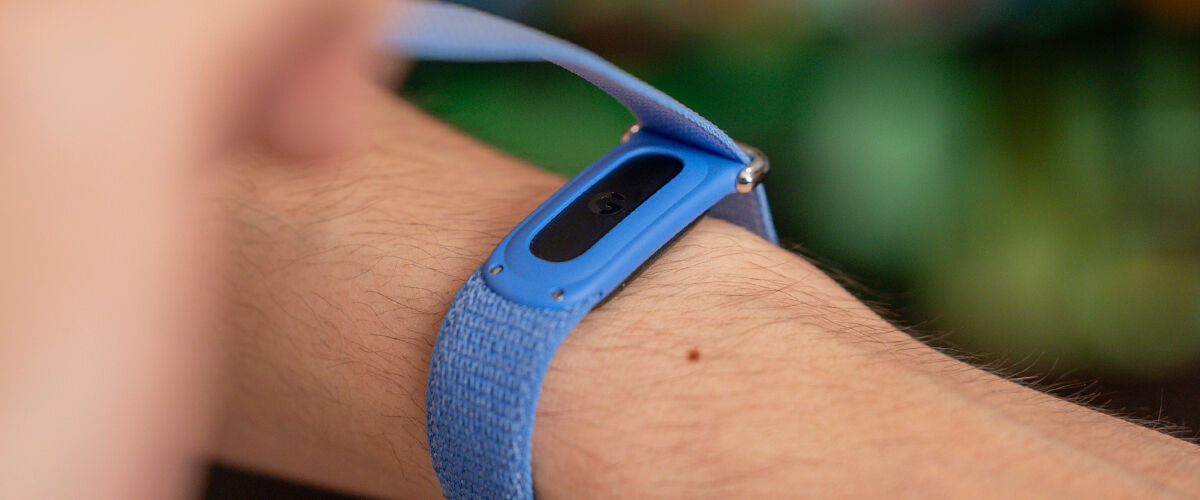
This means that, more so than any of Google’s health tracking devices that came before, the Fitbit Air sets the new standard for the term unnoticeable, as wearing it truly feels like putting on those silicone wristbands seen during concerts or ticketed events. For additional comfort, the device is fitted with a micro-adjustable textile band, although options for polyurethane or silicone alternatives are also available. The base strap is also designed to be one-size-fits-all, measuring 130-210mm around.
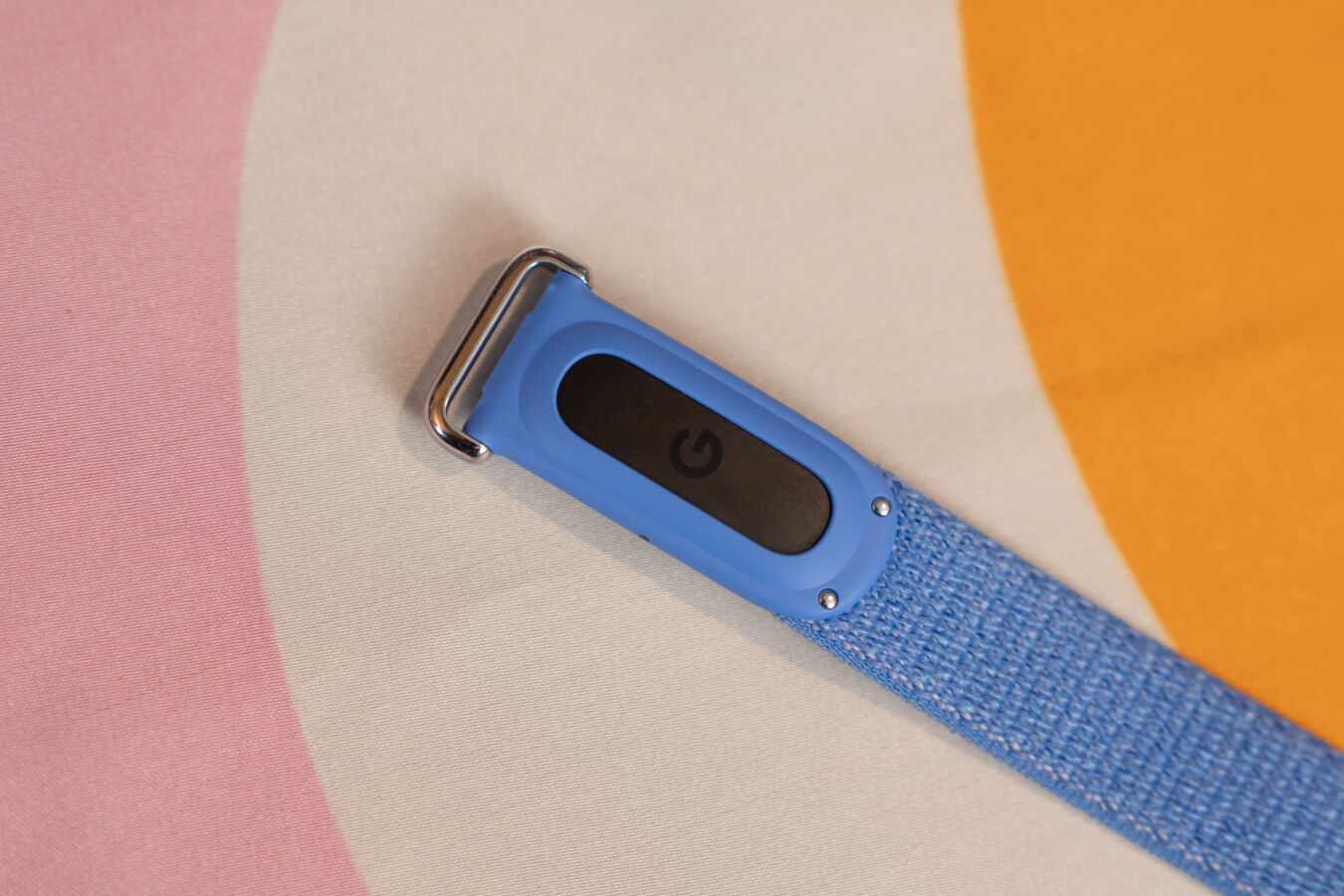
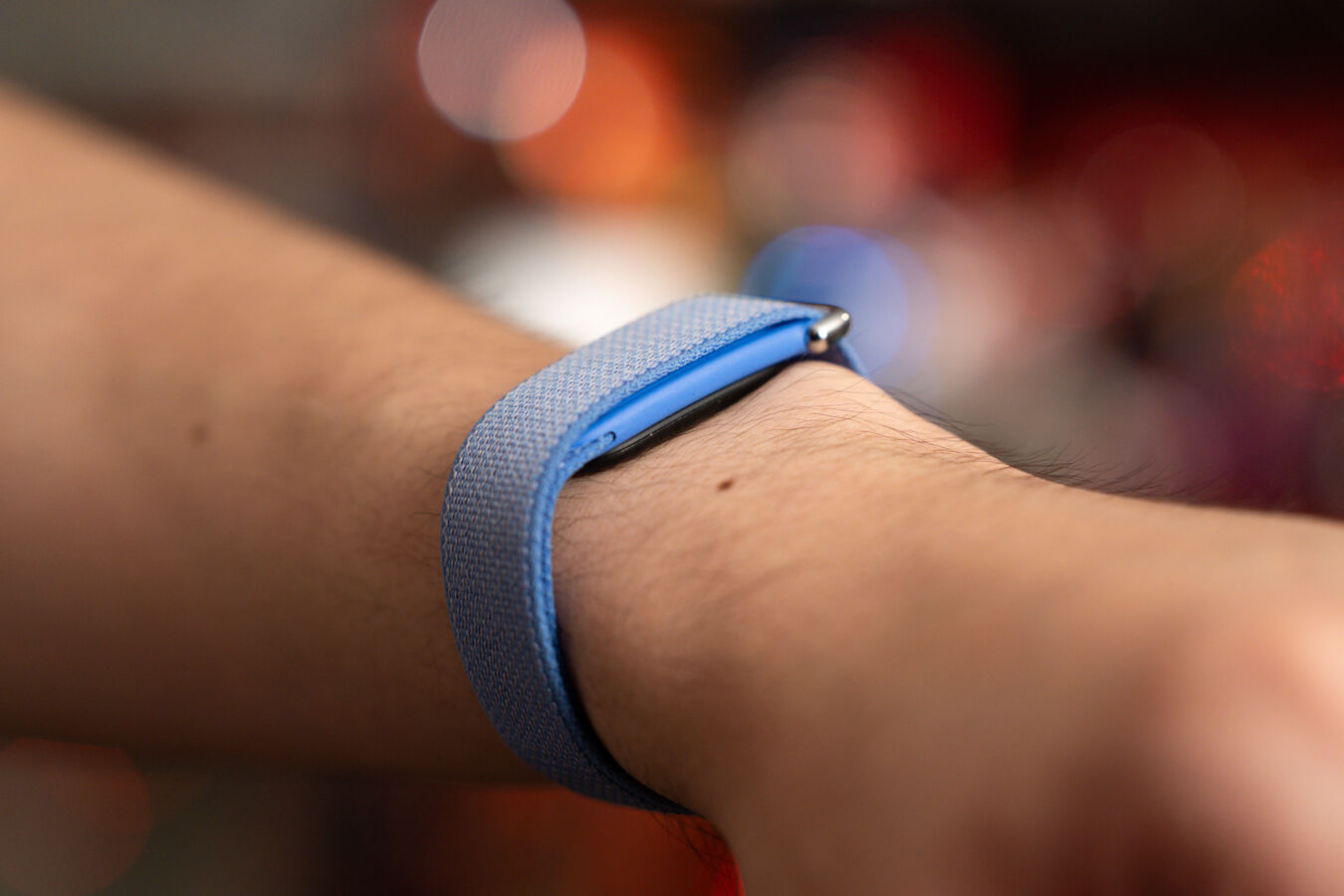
True to its minimalist nature, the device is also designed to conceal its main unit, with the Fitbit Air’s strap covering the unit while in use. Apart from maintaining its clean look while in use, this also has the added benefit of reducing the amount of exposed tech components, making it more comfortable when wearing to bed for sleep tracking, for example, especially when compared to devices like a smartwatch.
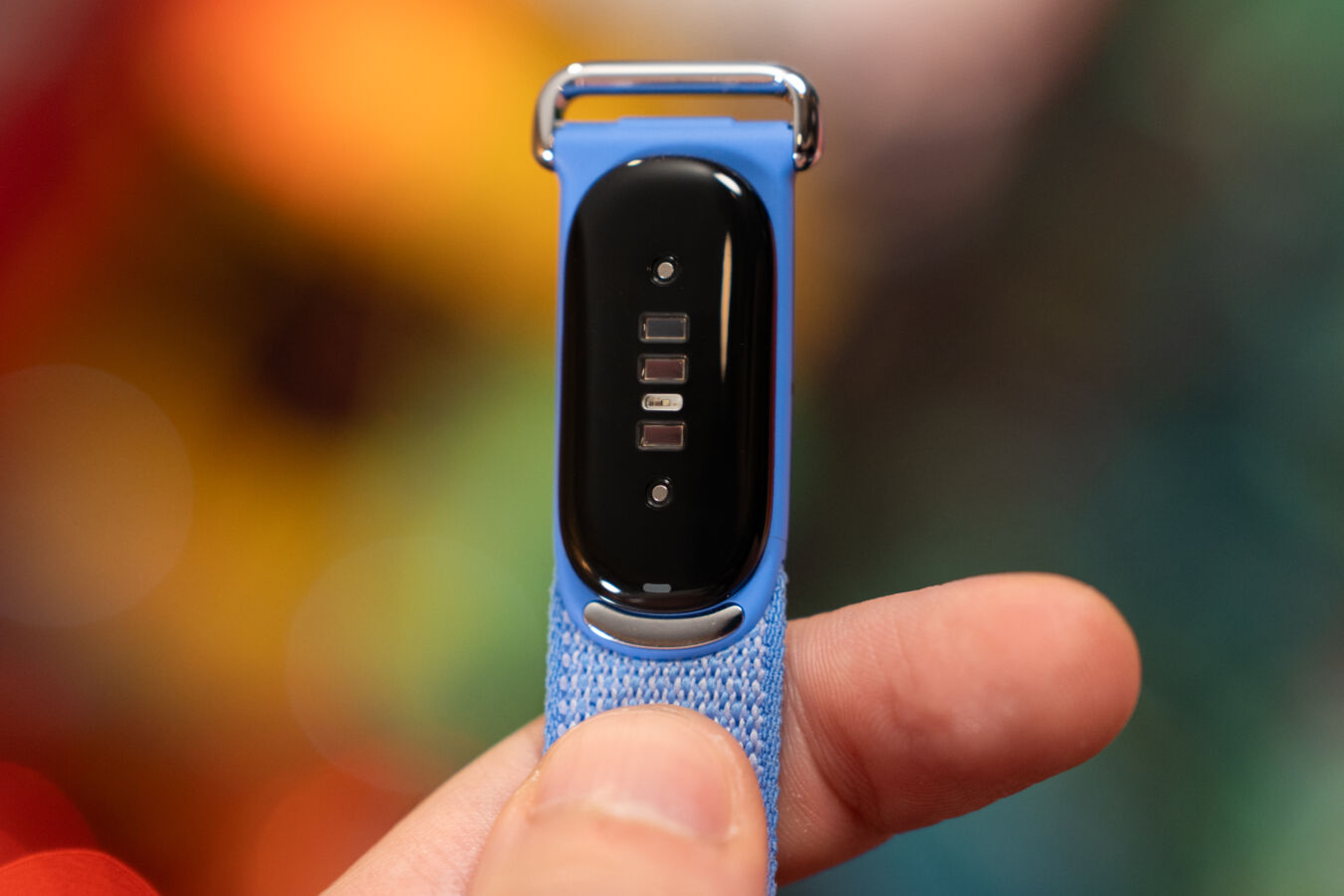
Of course, the underside of the main unit is where all the magic happens, sporting a sensor that tracks a user’s heart rate and steps taken while wearing the device, with the unit featuring additional high-tech components like a 3-axis accelerometer and gyroscope, red and infrared sensors for oxygen saturation monitoring, as well as a device temperature sensor. The Fitbit Air is also water resistant up to 50 meters, but since its band is textile, this does come at the cost of having to wash and dry it more frequently to prevent bad odours and skin irritation compared to the usual silicone affair, especially for users more prone to sweating.
With the absence of any on-screen display, operating the Google Fitbit Air is as simple as putting it on, with any physical interaction with the device limited to checking its battery status, which is done by double-tapping the top of the housing unit. Additionally, the device will also vibrate when under 20 percent battery, but that’s about it.
Speaking of battery life, what the Fitbit Air has on offer is pretty solid considering its tiny form factor. Google boasts a seven-day battery life on paper, but in practice, it’s entirely possible to stretch this figure even further depending on usage, with a week’s worth of sporadic use, such as wearing it while commuting, working out, and over the course of a few nights’ worth of sleep, only dropping the device’s battery to the 60 percent mark. Of course, this will still depend entirely on how active each individual is, so results might vary.
With an absence of a screen, this means that the Fitbit Air is purely a fitness or health tracker and nothing more, so don’t expect any of the extra lifestyle features seen on its predecessors or other products in the line, such as the ability to sync phone notifications or music controls. While these omissions were clearly made to reduce its weight and presence as much as possible, this does mean that one downside to using the device is that users will still need to have their phones with them when they work out.
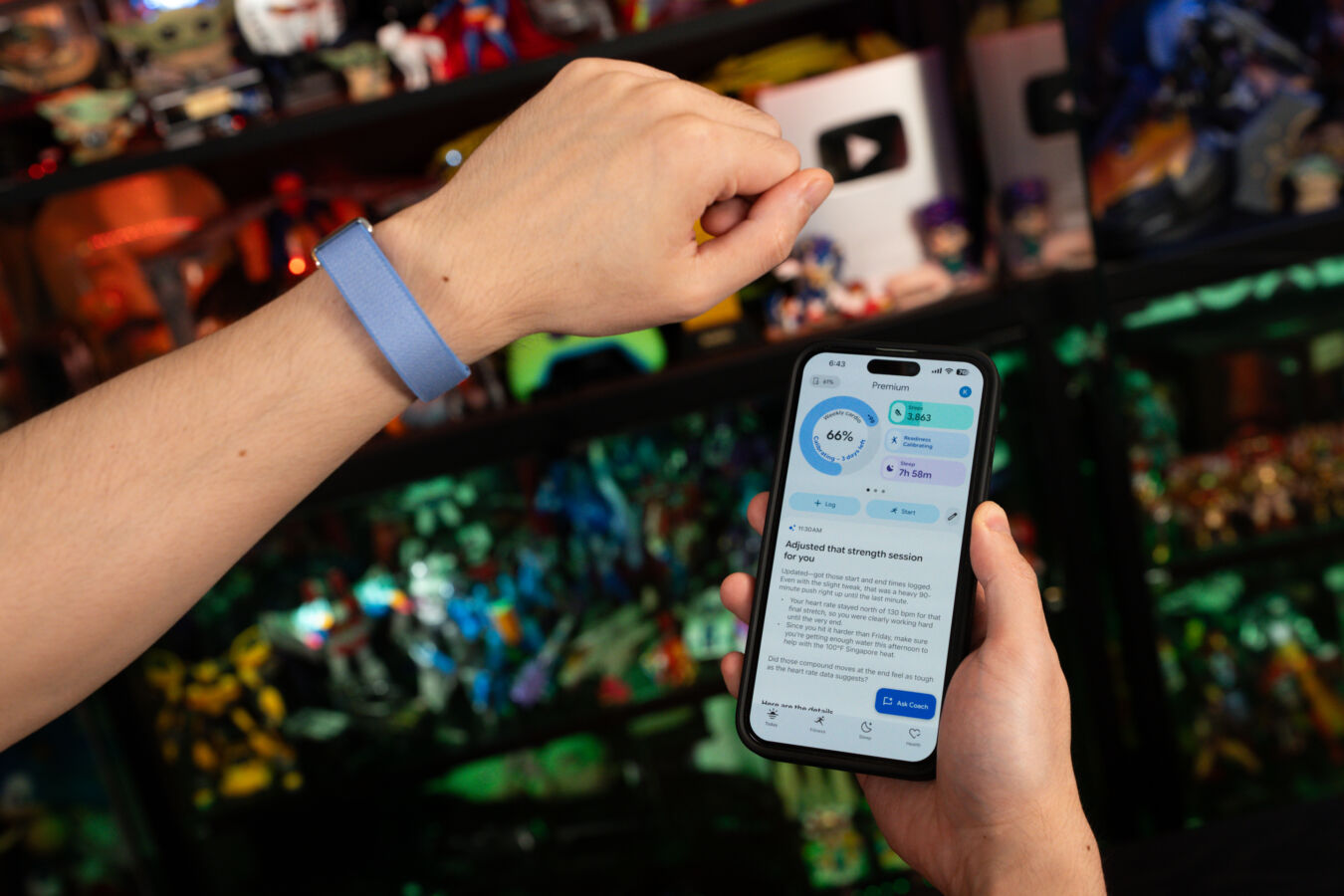
With this in mind, the Fitbit Air’s user experience is completely dependent on its companion app, which has seen a substantial overhaul. What was once the Fitbit app has now been rebranded as Google Health, bringing not just a visual revamp, but some new features too.
But first, the basics, and everything a user should expect from the old Fitbit app is still there, just laid out in a different format, such as step count, sleep scores, calories burnt, and heart rate monitoring (which the device stores at two-second intervals when worn). Key metrics such as these can be customised to a user’s liking and presented at the top of the app’s homepage, allowing for easier access to all relevant information at a glance.
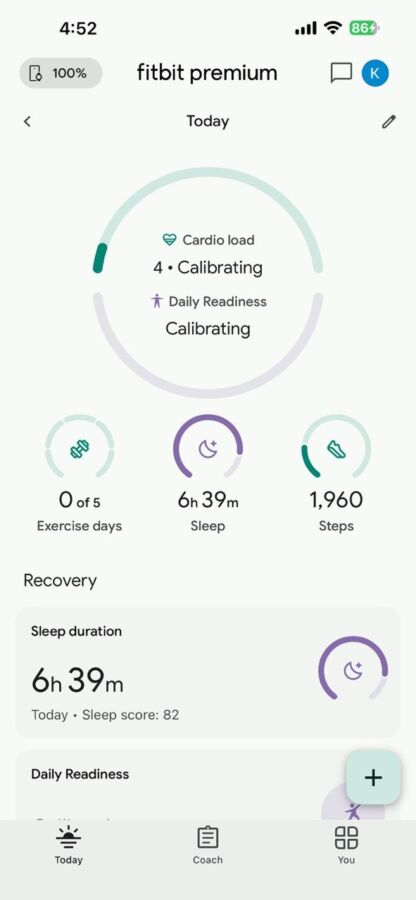
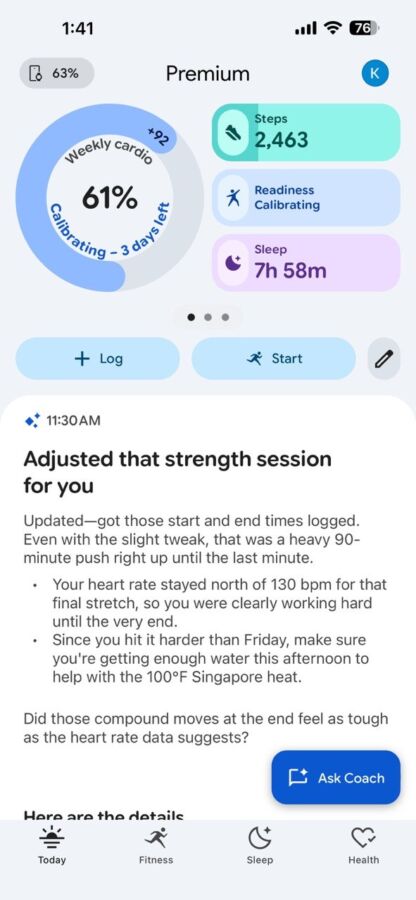
Perhaps the biggest addition to Google Health lies in Coach, the app’s AI-powered assistant. Available via the Google Health Premium membership, this personalised health coach serves as a complement to all the app’s base features, generating custom assistance across the board with Google Gemini.
What this means is that apart from generating AI workout summaries and suggestions regarding completed tasks like workouts or logged sleep schedules, Users can also seek guidance from the AI coach, such as tips to improve sleep cycles based on collected data, or how to maximise gains from workouts, for example. Still, as this is AI after all, results might not be a hundred percent accurate, and there was an instance during our testing where the Coach offered a summary and breakdown of a sleep cycle, even though no activity was recorded.
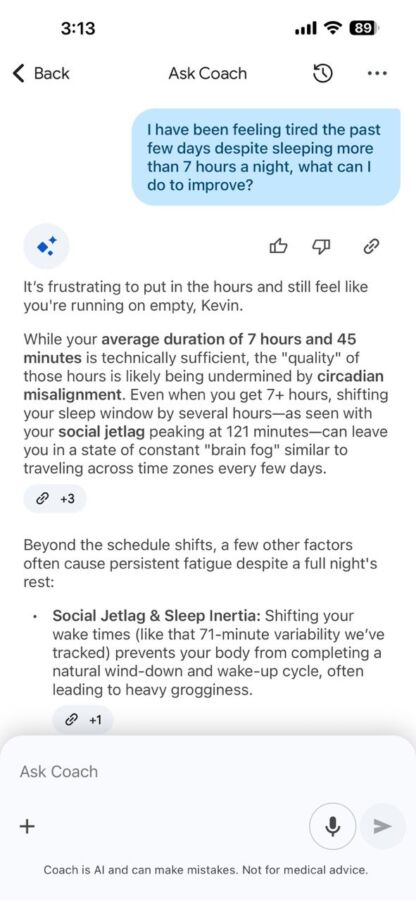
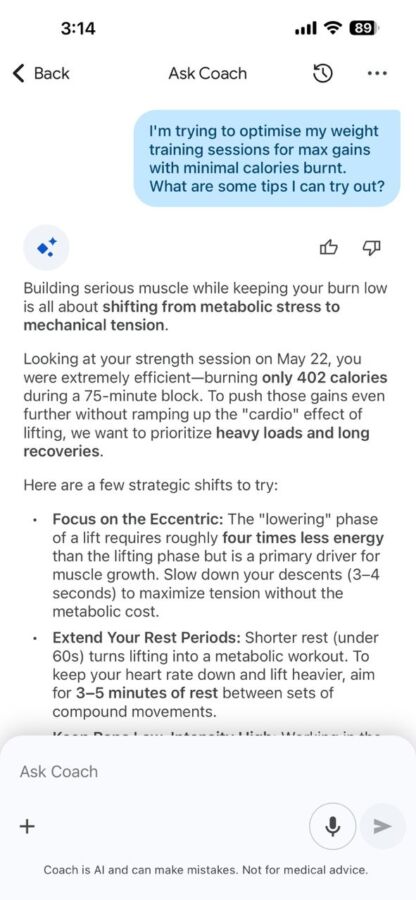
Another way Coach comes into play is with personalised fitness plans. By “chatting” with the AI coach, it can generate a fitness plan based on previously recorded data or past conversations. Once set, this fitness plan generates a set of weekly targets to hit, alongside things like the rationale for said plans, or recommended workouts to hit these goals. Of course, those who don’t wish to have an AI overlord control every aspect of their workouts can still craft out their fitness plans manually, fine-tuning them from scratch across a wide range of exercises from yoga to cardio or many varieties of equipment-based strength training.
While some might see the constant need to have a phone app on hand as an inconvenience, Google Health at least tries to streamline the experience by being as close to an all-in-one app as possible, making it easier to keep track of a user’s progress in one central app rather than having to constantly juggle between multiple ones on your phone. This, coupled with the app’s beginner-friendly nature and overall ease of use, makes it a relatively acceptable trade-off.
So, where does this leave the Fitbit Air in the current market of fitness wearables? Casual fitness enthusiasts who already own a smart watch capable of tracking and more might find little reason to purchase another device, but for those looking for perhaps the most unobtrusive fitness tracker on the market right now, or those who are looking to optimise their workout routines without breaking the bank, the Google Fitbit Air might just be their best bet.
Product images were shot using a Sony α7 IV Full-Frame Hybrid Camera equipped with the following lenses: 90mm F2.8 Macro G OSS, and 28-70mm F2 GM.
GEEK REVIEW SCORE
Summary
The Google Fitbit Air sets the new standard for low-key fitness tracker design, and is built to be barely noticeable while still recording data accurately, even supplementing these stats with personalised AI coaching thanks to the newly revamped Google Health companion app.
Overall
8.6/10-
Aesthetics - 8.5/10
8.5/10
-
Build Quality - 8.5/10
8.5/10
-
Performance - 9/10
9/10
-
Value - 9/10
9/10
-
Geek Satisfaction - 8/10
8/10

Kevin is a reformed PC Master Race gamer with a penchant for franchise “duds” like Darksiders III and Dead Space 3. He has made it his life-long mission to play every single major game release – lest his wallet dies trying.
 HSALS
HSALS
 Zinho De Costa